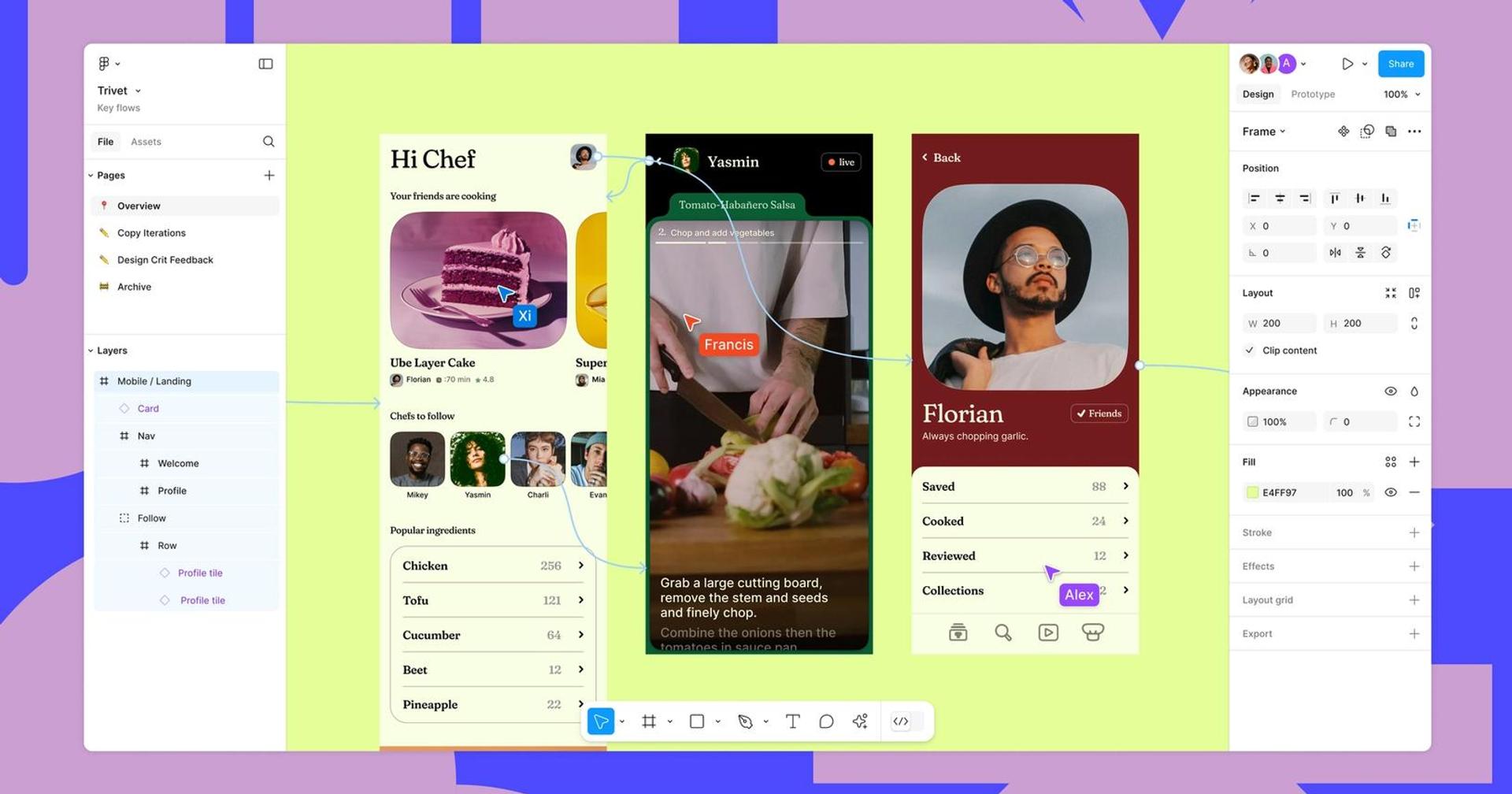
Finding the right Figma alternative starts with understanding what you want to improve. Some teams need lower costs. Others want offline editing, control over their design files, or a faster way to publish websites.
The strongest alternative to Figma depends on your workflow. A product designer building reusable interface components has different requirements from a founder sketching an idea or an agency launching landing pages.
This guide compares seven tools like Figma, covering UI design, wireframing, interactive prototypes, and website publishing. Penpot is our leading recommendation for open-source product design, while the other options suit specific priorities.
The recommendations below are editorial judgments based on official product information reviewed in October 2026, rather than hands-on benchmark testing. Plan limits and prices can change.
Best Figma Alternatives at a Glance
| Tool | Best for | Free access | Main trade-off |
|---|---|---|---|
| Penpot | Open-source UI design | Free plan; free core self-hosting | Migration needs careful testing |
| Sketch | Native Mac design workflows | Trial available | Editing requires a Mac |
| Lunacy | Cross-platform desktop design | Free core editor | Check cloud and asset terms |
| Framer | Designing and publishing websites | Free plan | Focuses on websites |
| Axure RP | Complex interactive prototypes | Trial available | More learning required |
| Balsamiq | Early wireframes and feedback | 14-day trial | Limited fit for polished visual design |
| Moqups | Browser-based planning and mockups | Limited free plan | Validate advanced design-system needs |
1. Penpot: Best Open-Source Figma Alternative
Penpot is our first recommendation for teams seeking a Figma open source alternative. It combines interface design, reusable components, shared libraries, and interactive prototyping in a browser-based environment.
Its CSS Grid and Flex Layout features are particularly relevant when designers and developers need a shared understanding of responsive behavior. Inspect tools expose design information and code representations to support implementation.
Penpot also offers cloud hosting and self-hosting. That flexibility matters when your organization wants greater control over where design data lives. However, running your own instance requires infrastructure, updates, and backups.
Pricing: A free Professional cloud plan is available, alongside paid options. Core self-hosting is free, but infrastructure and administration still cost money.
Main limitation: Test your existing components, fonts, and migration process before committing.
Best for: Product teams prioritizing open standards, collaboration, and deployment control.
2. Sketch: Best for Mac-Based Product Designers
Sketch suits designers who prefer a native macOS workspace. It supports vector editing, reusable component libraries, layout tools, and interactive prototypes.
Offline editing is a practical advantage for designers who travel or work with unreliable internet access. Sketch also provides shared workspaces, real-time co-editing, browser-based feedback, and developer inspection.
Among apps like Figma, Sketch deserves consideration when your design team already uses Macs and values a desktop-first experience. Reviewers and developers can participate through the browser, but the design editor remains Mac-based.
Pricing: Paid licensing options are available; check the current Sketch plans for subscriptions and Mac-only purchasing options.
Main limitation: Windows and Linux users cannot use the native design editor.
Best for: Mac-based freelancers, agencies, and established product design teams.
3. Lunacy: Best for Cross-Platform Desktop Design
Lunacy, developed by Icons8, offers native applications for Windows, macOS, and Linux, alongside browser access. Its design features include auto layout, components, variables, prototyping, and real-time collaboration.
Desktop offline support makes it worth shortlisting when local editing matters. Built-in graphics and image tools can also help designers assemble mockups without constantly switching applications.
Lunacy advertises Figma import functionality, but conversion should still be tested against representative files. Check editable layers, responsive behavior, and reusable components rather than assuming that a visually similar import preserves everything.
Pricing: The core editor is free; review cloud collaboration plans and graphics licensing separately.
Main limitation: Free software access does not mean every asset or team capability has unrestricted use.
Best for: Budget-conscious designers who need desktop tools across operating systems.
4. Framer: Best for Designing and Publishing Websites
Framer is a strong alternative to Figma when the final deliverable is a live website. It combines visual design with website publishing, CMS capabilities, and SEO controls.
This workflow can suit portfolios, startup websites, and marketing pages. Instead of designing screens and then rebuilding them in another website tool, teams can work closer to the published result.
However, website creation differs from designing a complex software product. Before choosing Framer, separate your need to publish pages from your need to maintain application interfaces and design specifications.
Pricing: A free plan is available. Review Framer pricing for custom domains, hosting limits, editor access, and additional capabilities.
Main limitation: Its website focus may not suit your full product design workflow.
Best for: Agencies, marketers, and founders launching branded websites.
5. Axure RP: Best for Complex Interactive Prototypes
Axure RP is worth considering when your prototype must demonstrate detailed behavior. Its conditional logic lets designers build interactions that respond to user input and different conditions.
For example, a signup prototype can show an error when required fields are empty and advance only when the conditions are satisfied. That makes Axure relevant for testing business workflows before development.
Among tools like Figma, Axure is especially useful when research participants need to experience realistic decisions and branching journeys.
Pricing: Paid subscriptions and a trial are available through the Axure pricing page.
Main limitation: Building detailed logic takes time and requires learning the interaction model.
Best for: UX researchers and product teams validating complex forms, dashboards, or enterprise processes.
6. Balsamiq: Best for Fast Wireframing
Balsamiq focuses on wireframing and communicating interface ideas. It is useful when your immediate goal is agreeing on page structure, content priority, and user journeys.
An early wireframe gives stakeholders something concrete to discuss before the team invests in polished visual design. For a founder planning a dashboard, this may be enough to resolve major questions.
Balsamiq is therefore a practical alternative of Figma for early planning, although that does not make it an equivalent replacement across every design stage.
Pricing: A 14-day trial is available, followed by paid plans. Check current pricing for editor and project allowances.
Main limitation: Evaluate another tool if detailed visual styling is central to your deliverable.
Best for: Founders, product managers, and teams gathering early feedback.
7. Moqups: Best for Browser-Based Planning
Moqups brings wireframes, mockups, diagrams, and prototypes into one browser-based workspace. It suits teams that need to connect interface ideas with user flows and project planning.
For example, a team can map an onboarding journey and create related screen mockups in the same application. Templates and prebuilt interface elements can help non-designers communicate their requirements.
If you are comparing websites like Figma, Moqups is worth exploring for collaborative planning. Test your required component behavior before adopting it for a large product design system.
Pricing: A limited free plan is available, with paid upgrades for additional capacity and capabilities.
Main limitation: Check free-plan restrictions and advanced interface-design requirements.
Best for: Distributed teams planning products and presenting concepts to stakeholders.
How to Choose the Right Alternative to Figma
Start with a real project rather than a feature checklist. Ask two designers and one developer to complete a small workflow in each shortlisted tool.
Evaluate these five areas:
- Design depth: Can you build the layouts, component states, and reusable assets your product needs?
- Collaboration: Can teammates edit, comment, review, and find the latest version easily?
- Developer handoff: Can developers understand spacing, typography, assets, and responsive behavior?
- Total cost: Include editors, hosting, storage, paid assets, migration work, and training.
- File portability: Check what remains editable when you import and export your designs.
The best choice is the tool that removes a recurring problem without creating a larger operational burden. A cheaper subscription has limited value if your team spends hours repairing files.
What to Know About Figma Open Source Alternatives
When comparing Figma open source alternatives, distinguish source-code access from free pricing. A proprietary editor can be free to use without allowing you to inspect, modify, or self-host its software.
Penpot is the clearest starting point in this shortlist for readers researching open source Figma alternatives. Its deployment options make it relevant to organizations seeking greater infrastructure control.
If you search for “Figma alternative open source,” evaluate maintenance activity, documentation, licensing, and deployment requirements alongside design features. Self-hosting transfers responsibility for updates, backups, availability, and access management to your organization.
Control over hosting is useful, but it does not automatically establish compliance with your security requirements.
How to Move Your Existing Designs
Migrate one representative project first. Choose a file containing shared components, custom fonts, several screen sizes, and an interactive flow.
Check whether imported elements remain editable and whether your team can maintain them comfortably. Rebuild missing interactions and document any changes to component naming or layout behavior.
Keep an archived copy of the original files. Record how long the pilot takes, then use that estimate to plan the wider migration.
Also ask clients and developers to review the new workflow. A successful migration includes collaboration and handoff, not just attractive screens.
Final Verdict
Choose Penpot for open-source UI design, Sketch for native Mac workflows, and Lunacy for cross-platform desktop work. Framer suits website publishing, Axure suits complex prototypes, and Balsamiq or Moqups can simplify early planning.
The best Figma alternative is the one that fits your team’s daily work. Run a small pilot before moving your entire design library.