Before replacing Salesforce, separate two problems: work the CRM should do, and work your company no longer needs it to do. Moving unused fields, obsolete approvals and duplicate reports into another platform can recreate the same administrative burden under a different logo.
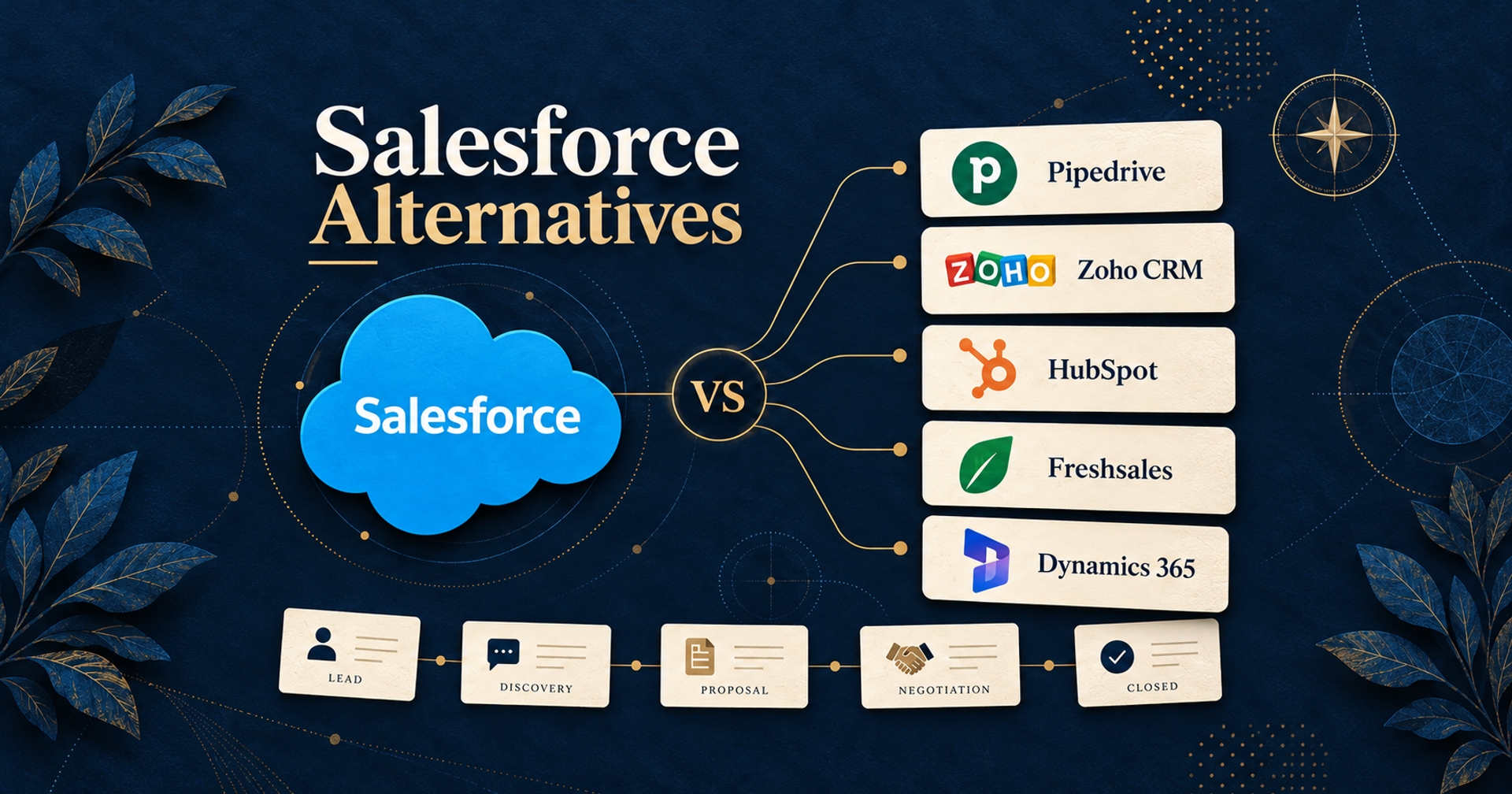
For a B2B sales team comparing Salesforce alternatives, start with Pipedrive for a focused deal-and-follow-up workflow, Zoho CRM for broader configurable sales operations, HubSpot Sales Hub for sales work connected to a wider customer platform, Freshsales for communication and sales sequences, or Dynamics 365 Sales for a Microsoft-oriented implementation. These are five distinct routes, not a ranking from universally best to worst.
This guide addresses Salesforce Sales Cloud replacement for small and growing sales teams. It does not claim that one subscription replaces every Salesforce marketing, service, commerce or industry product. We compared official pricing and documentation for US buyers on October 20, 2026; this is research-based analysis, without hands-on product testing.
Decide what you want to stop administering
If you're considering Salesforce alternatives for small business, write down the specific work that feels disproportionate. Is it maintaining fields, chasing deal updates, rebuilding reports, connecting email, or paying for capabilities the team never uses? A useful replacement should reduce that particular burden while preserving your essential controls.
Sort current requirements into keep, change and retire. Keep the account relationships, active opportunities, ownership rules and reports that affect decisions. Change a workflow when the team can explain a better way to operate it. Retire a field or approval only after its owner confirms that it is no longer needed.
Use that list to narrow the Salesforce competitors you evaluate:
| Your main requirement | Start the evaluation with | The question that could rule it out |
|---|---|---|
| Make deal tracking and follow-up the center of daily work | Pipedrive | Can its data model and chosen plan handle your required records and permissions? |
| Keep a wider sales process with configurable modules and quoting needs | Zoho CRM | Which edition covers the actual process and governance you need? |
| Connect sales activity to a broader customer platform | HubSpot Sales Hub | What do the required sales seats, other hubs and onboarding cost together? |
| Combine contact work, communication and outbound sequences | Freshsales | Do custom modules or field-level permissions push you to Enterprise? |
| Keep sales operations close to Microsoft's business application environment | Dynamics 365 Sales | Is the implementation effort justified, and is Professional sufficient? |
This framework deliberately does not reward the longest feature list. A small sales team that needs one accountable pipeline may benefit from less configuration. A business with a meaningful custom data model should not discard it just to buy a cheaper seat.
Pipedrive: a focused route for pipeline ownership
Pipedrive is worth evaluating when the sales manager wants deals, next actions and follow-up to become the main working surface. Its pricing positions Growth around email and follow-up automation, rather than asking this buyer to begin with a broad customer suite.
For that workflow, compare Growth at US$39 per seat per month billed annually: one payment of US$468 per seat for the year. Lite is US$14 on annual billing, but it is not the right price anchor if you require full email sync and automated email follow-up. Pipedrive's automation documentation places automation and email sync on Growth and higher, and requires email sync to be configured before automated sends.
The appeal is a more concentrated sales workflow. The trade-off is that you still need to assess the other work Salesforce currently supports. Marketing campaigns, project delivery, lead-generation tools and document requirements deserve their own cost and fit checks; Pipedrive lists several of these as add-ons on its pricing page. Do not assume Growth is a replacement for your entire Salesforce estate.
Migration can begin with a structured spreadsheet. Pipedrive's import guide explains field mapping and creating required custom fields before import. At the time checked, it lists a limit of 200,000 rows and a file size under 50MB. Split and validate a larger export rather than treating a rejected file as evidence that the destination cannot hold the business's data.
Choose Pipedrive when your essential model can be represented clearly in its records and the manager's main goal is consistent pipeline work. Require a demonstration of any unusual object relationships or access rules before assuming a simpler interface means a simpler migration.
Zoho CRM: retain breadth without copying every customization
Zoho CRM belongs on the shortlist when sales needs more than a lightweight deal board. Its current Standard plan lists multiple pipelines, email integration, forecasting and custom modules. Professional adds process management, inventory management and configure-price-quote functionality among its named capabilities.
For a team that needs those broader process and quoting tools, Professional is the useful example here. The verified US rate is US$23 per user per month paid annually; Standard is US$14 on the same basis. Zoho's official CRM guide confirms those annual rates, alongside the rendered US pricing page. Taxes and any implementation services remain additional considerations.
The distinction from Pipedrive is the scope of the operating model you are willing to maintain. Zoho can be considered for a wider set of sales records and processes, but that also creates configuration decisions. It is not sensible to promise less administration simply because its license is lower than another vendor's higher edition.
Edition selection can change the recommendation. Zoho's current Enterprise list includes approval processes, a developer sandbox, custom buttons and functions, and reporting hierarchy features. If those are essential, evaluate Enterprise rather than attributing them to Professional's price. The availability of a custom module also does not prove that an existing Salesforce object, automation or app can be transferred unchanged.
Zoho's pricing page offers migration assistance, but we could not obtain a usable article body from its dedicated Salesforce migration help page during this research. Confirm supported objects, relationship mapping, attachments, record ownership and service charges with Zoho before committing; we are not relying on search snippets for transfer limits. If this becomes your final pairing, PickMySoft's Zoho CRM versus Salesforce comparison is a narrower starting point, with current prices and requirements to be rechecked against the vendor pages linked here.
HubSpot Sales Hub: consider the whole customer platform bill
HubSpot makes sense to investigate when sales needs to work in a customer platform that can also support adjacent teams. Sales Hub's product page describes pipelines, sales activity and automation, while Professional is positioned around scaling sales processes. That makes it relevant to a manager trying to connect follow-up with a wider customer record, rather than only replacing a contact database.
If targeted email follow-up is central, evaluate the actual sequence requirements. HubSpot's sequence documentation describes timed email templates and tasks, with subscription and assigned-seat requirements. A free contact record is not evidence that every rep can run the paid sales workflow you need. Nor should sequence creation be treated as proof that every form of automated enrollment is included.
Pricing needs extra care. In the US-rendered Sales Hub pricing page, Professional plan cards displayed US$90 per seat per month on annual payment and US$100 per seat per month with monthly payments on an annual commitment. The page also listed required one-time Professional onboarding of US$1,500. However, a promotional banner presented different Professional and Enterprise figures. We have not reconciled those displays into a binding offer, so this guide does not calculate a definitive HubSpot team total.
Request a written quote specifying the plan, assigned sales seats, payment schedule, promotion eligibility and duration, onboarding, credits and other hubs. That is the trade-off to resolve before calling HubSpot cheaper than Salesforce. Existing marketing or service subscriptions can also change the decision, but should be counted from the buyer's actual contract rather than assumed here.
HubSpot's multi-object import documentation covers importing records and activities and associating them. It explains unique identifiers for matching records; importing association labels requires a Professional or Enterprise subscription. For a Salesforce move, preserving the correct company-contact-deal relationship is a separate acceptance check from counting how many rows arrived.
Freshsales: match the communications workflow to the right edition
Freshsales is a relevant option when reps need contact work, email, phone and structured follow-up in their daily CRM routine. Growth lists chat, email and phone, contact lifecycle stages, custom fields and basic workflows. Pro adds sales sequences, contact scoring, deal insights and territory management.
For the sequence-led use case, Pro costs US$39 per user per month billed annually. Growth's US$9 annual rate is a useful entry point for a different requirement set, but should not be used to price the Pro features. The page separately lists add-ons such as branded documents and a Freddy AI Agent; the core seat price is not a promise of unlimited additional services.
The decisive limitation for some Salesforce teams will be governance and custom records. Freshsales lists custom modules, field-level permissions, a sandbox and audit logs on Enterprise, at US$59 per user per month billed annually. If your current process depends on those capabilities, put Enterprise in the budget from the beginning. Pro should not be declared a like-for-like replacement merely because it includes territories and sequences.
Freshworks publishes a Salesforce migration guide that works from a Salesforce export archive and maps data into the destination. It calls for required custom fields to be created first and identifies invalid email addresses, unmapped columns, incompatible field types and mismatched picklist values as failure causes. Its lead-status mapping also illustrates why a move can change the record model rather than simply copy it.
Use that guide to design a test import with the vendor for your current edition. It supports a migration route; it does not establish automatic recreation of every Salesforce custom object, report or workflow. Freshsales is most compelling here when the verified communication and follow-up features fit the team without requiring a larger reconstruction than the business wants to own.
Dynamics 365 Sales: a platform move, not an escape from implementation
Dynamics 365 Sales is worth considering when Microsoft's business application environment is a strategic fit and the company wants a structured sales system. The Professional plan is described as core sales force automation with Microsoft 365 interoperation, reporting and dashboards. That is a credible sales CRM alternative, but not a claim that an existing Microsoft 365 subscription includes it.
Professional is listed at US$65 per user per month paid yearly. Enterprise is US$105 and Premium US$150 on that basis. Enterprise's description adds advanced customization and AI capabilities; evaluate those edition differences before deciding Professional covers a heavily customized Salesforce deployment. Microsoft Relationship Sales is a different offer with its own ten-seat minimum, not a condition we are applying to the Professional price.
The reason to choose Dynamics is alignment with the intended platform and sales process. It is a weaker starting point if the only objective is to eliminate implementation work. Someone must still own the data model, access, reporting and connections to other systems. Agents and credits also have separate conditions on the current pricing page; an AI feature label should not become an assumption of unlimited use.
Microsoft's Dataverse import documentation describes loading standard and custom columns, related data such as notes and attachments, and data maps and transformations. Importability depends on the target table. This is evidence of a configurable data-import foundation, not a verified one-click conversion of Salesforce metadata. Ask the implementation team to show the proposed mappings and exception report before approving the move.
Compare the operating cost, not just the cheapest edition
The plan examples below serve different needs. They are useful budgeting inputs, not certified equivalent bundles. Prices are per user or seat per month in USD at the checked annual billing basis, excluding taxes and implementation.
| Product and example plan | Published annual-billing rate | Requirement behind this example |
|---|---|---|
| Pipedrive Growth | US$39/seat/month | Email sync and follow-up automation |
| Zoho CRM Professional | US$23/user/month | Broader process and quoting capabilities |
| HubSpot Sales Hub Professional | Written quote needed | Conflicting page displays; required onboarding also listed |
| Freshsales Pro | US$39/user/month | Sales sequences and territory management |
| Dynamics 365 Sales Professional | US$65/user/month | Core sales automation and Microsoft 365 interoperation |
Salesforce itself is not a single high price: the current Salesforce Sales pricing page lists Starter Suite at US$25 per user per month, billed monthly or annually, and Pro Suite at US$100 billed annually. Your actual edition, discounts, integrations and renewal terms determine the baseline. Comparing another CRM's entry price with a larger Salesforce deployment does not establish equivalent savings.
Put three lines beside the subscription quote: initial rebuild and import work, ongoing administration, and extra services or usage. Retain an overlap allowance while you validate the new system. A slightly lower seat bill is not a good bargain if the business loses the report it uses to assign territories or forecast cash collections.
Preserve relationships before retiring the old system
To migrate from Salesforce, first agree on the records and behaviors the new CRM must preserve. Include active and closed opportunities, account-contact links, owners, activities, attachments and any business-critical custom objects. Mark each requirement as supported by the destination, rebuilt through a defined process, retained in an accessible archive, or still unresolved.
Then validate one representative set of related records. Check the owner, stage, value, dates and activity trail against the original; inspect an exception report rather than only a success counter. Confirm access with a rep and a manager. Rebuild and compare a report using the same date range and filters. These are recommended acceptance checks, not product tests conducted for this article.
Do not confuse data portability with configuration portability. Pipedrive's field mapping, HubSpot's associations, Freshsales' picklist rules and Dataverse's transformations all require decisions. None of the sources examined establishes automatic transfer of all Salesforce automation and metadata. Keep the old system available under an agreed retention and transition plan until the required data and workflows have been verified.
If the current Salesforce setup already handles complex relationships, controls and reporting well, staying and simplifying its configuration may be the better choice. Choose a replacement only after it solves a named operating problem and the total transition is worth owning.