A Microsoft 365 subscription makes sense when you rely on everything it brings together. It becomes harder to justify when your daily routine is writing a few documents, maintaining a budget, and preparing the occasional presentation. For a small business, that same question grows more expensive with every employee you add.
The best cheap Microsoft 365 alternatives in 2026 fall into two groups: free office suites that replace everyday document editing, and business platforms that also provide email, shared storage, and collaboration. Choosing between them starts with understanding what you actually use, rather than looking for the lowest price on a product page.
This guide compares LibreOffice, ONLYOFFICE Desktop Editors, Zoho Workplace, Google Docs and Workspace, WPS Office, and FreeOffice. You will find practical recommendations, pricing terms, free-plan limitations, product visuals, and advice on switching without disrupting your work.
Quick Answer: Which Microsoft 365 Alternative Should You Choose?
For most individuals who want to stop paying for desktop office apps, LibreOffice is our first recommendation. It provides a broad free suite for local work. ONLYOFFICE Desktop Editors is the next tool to evaluate if exchanging DOCX, XLSX, and PPTX files is central to your routine. Those are editorial starting points, not a claim that either suite will preserve every Microsoft file perfectly.
For a small business needing company email and shared office tools together, Zoho Workplace is our budget shortlist. Google Docs, Sheets, and Slides are an accessible starting point for free personal collaboration; paid Google Workspace is better considered for teams that value its browser-based workflow. Its business subscriptions are not automatically cheaper than your current Microsoft plan.
FreeOffice is a sensible beginner shortlist for straightforward desktop work, particularly if you want to choose between ribbons and classic menus. WPS Office suits people who prefer office and PDF tasks in one workspace, provided its free tier covers the features they actually need. The right recommendation changes when the job changes.
Affordable Microsoft 365 Alternatives at a Glance
| Tool | Best for | Free option | Paid pricing / billing | Main advantage | Main limitation |
|---|---|---|---|---|---|
| LibreOffice | Broad offline productivity | Free desktop suite | No required subscription; professional support extra | Documents, spreadsheets and presentations locally | No bundled business email or hosted teamwork |
| ONLYOFFICE Desktop Editors | Microsoft-format file workflows | Free desktop editors | Cloud hosting and enterprise support priced separately | Local editing with optional cloud connections | Free desktop app is not a complete hosted business workspace |
| Zoho Workplace | Budget business email and collaboration | Trial; limited free email offer in select data centers | Standard: US$3/user/month annually; US$4 monthly | Email and collaborative office tools in one bundle | Plan limits and Excel-dependent workflows need checking |
| Google Docs / Workspace | Browser-based teamwork | Personal Docs, Sheets and Slides | Starter: US$7/user/month annual commitment; US$8.40 flexible | Shared editing and business services on paid plans | Personal accounts lack full business administration |
| WPS Office | Office and PDF tasks in one suite | WPS Standard | Pro+: US$69.99/year (US$5.83/month equivalent), PC/Android pricing | Unified workspace for common office tasks | Advanced PDF, AI and other benefits are paid or limited |
| FreeOffice | Simple desktop office work | Free personal and business use | FreeOffice itself is free; paid SoftMaker products are separate | Choice of ribbon or classic interface | Email, meetings and hosted collaboration need separate services |
Pricing was checked on October 3, 2026. Dollar amounts are published USD rates, not conversions or India-specific quotations. Taxes, regional pricing, promotions, and checkout terms can change the amount you pay. Google’s annual plan describes a commitment, with payment options depending on purchase method and region; WPS’s monthly equivalent requires an annual purchase.
What Are You Replacing—and When Is Microsoft 365 Worth Keeping?
Microsoft 365 spans different personal and business subscriptions. Depending on the plan, it can include desktop or web versions of Word, Excel, and PowerPoint alongside storage, business email, meetings, administration, and security features. Its strength is the familiarity of those applications and the way its services work together.
People usually look for an alternative because they use only part of the bundle, want to work locally, need Linux support, or want a simpler cost structure. The potential saving is real when a free editor covers the whole job. It is less convincing when you still need to buy email, storage, support, and collaboration elsewhere.
Keeping Microsoft 365 may be the better decision if your business depends on complex Excel workbooks, VBA automation, Microsoft-specific add-ins, or tightly integrated Outlook, Teams, and SharePoint workflows. A lower software bill is a poor trade if staff spend hours repairing files or rebuilding integrations. You can also pilot an alternative with a small group while retaining Microsoft licenses for specialist users, subject to the licenses and services your organization needs.
How We Selected These Alternatives
We selected these six tools using their official product pages, pricing information, and documentation. We considered free access, the scope of office applications, file-format support, platform availability, collaboration options, and the extra services needed to replace a Microsoft 365 subscription.
This is a research-based buying guide. We did not run hands-on compatibility benchmarks, test support response times, or assign invented performance scores. Recommendations reflect a tool’s published scope and the use case it appears to serve. Your own files and business requirements should determine the final choice.
The images are examples from official vendor pages or documentation. They illustrate interfaces or product features; they do not establish the exact appearance or feature entitlement of every current plan, operating system, or app version.
1. LibreOffice: The Best Free Starting Point for Offline Productivity
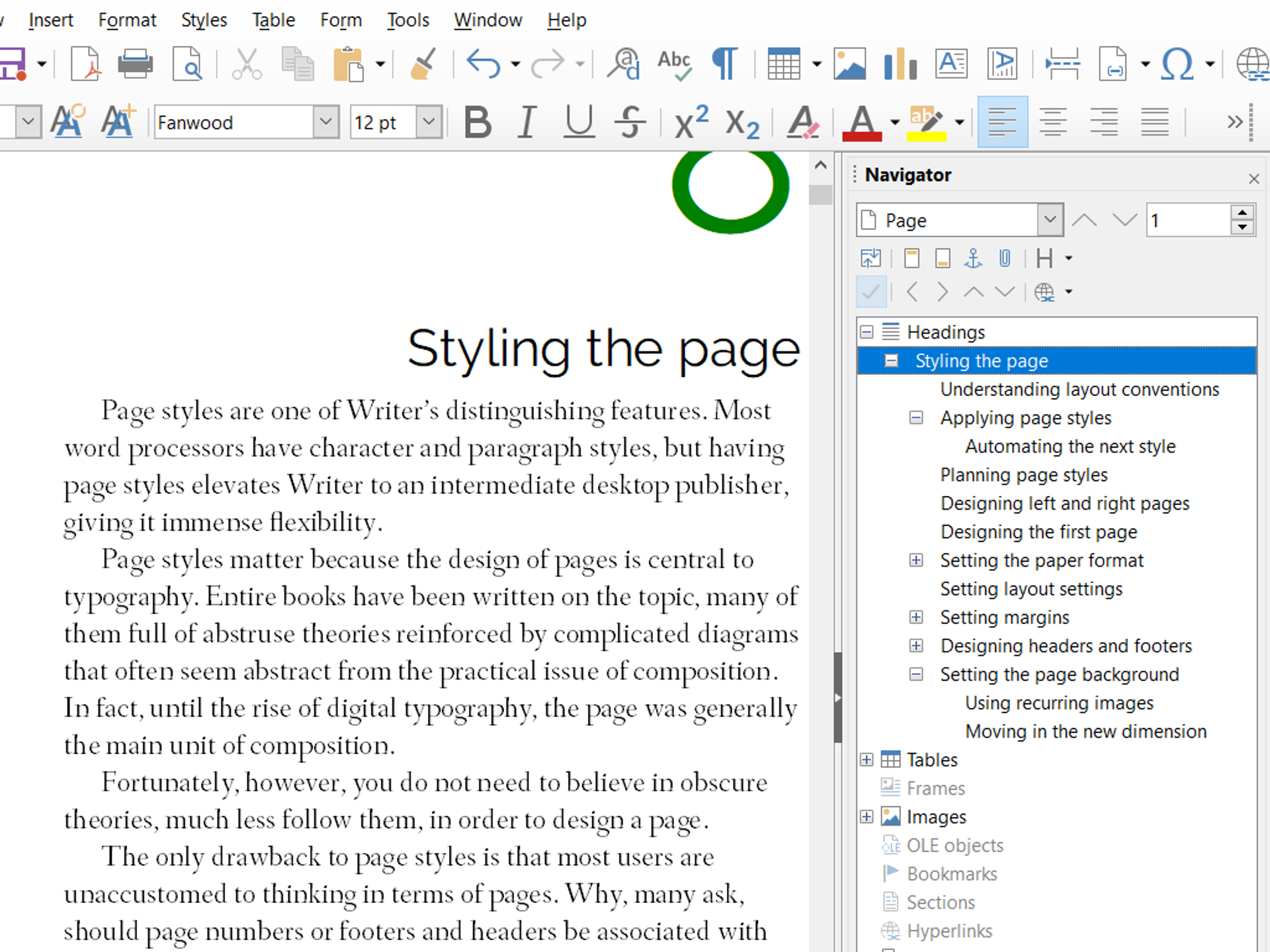
Image license: Creative Commons Attribution-ShareAlike 3.0; image used without modification.
LibreOffice is the easiest recommendation here when your main goal is to remove the office-app subscription. Its open-source suite includes Writer, Calc, and Impress, plus tools for drawing, databases, and mathematical formulas. Windows, macOS, and Linux support make it a useful option across mixed desktop environments.
A freelancer could write proposals in Writer, track expenses in Calc, and assemble a presentation in Impress without purchasing a cloud workspace. Local-file work is its natural fit: you decide where documents are stored and which separate services, if any, you use to share them. The attraction is a complete desktop toolkit with no required recurring license fee.
The main compromise is the surrounding workflow. LibreOffice does not supply a Microsoft 365-style bundle of company email, hosted meetings, and centrally managed cloud collaboration. Its interface and conventions also require some adjustment. If colleagues expect live editing through a shared browser link, decide how you will provide that experience before switching.
Treat Microsoft-file compatibility as a pilot requirement. Check layouts, fonts, formulas, charts, comments, and automation in representative files, then save them and reopen them in Microsoft Office. LibreOffice is our best free overall choice for local productivity, but it is a less suitable starting point for teams whose work depends on advanced Microsoft-specific behavior. Community help and documentation are available; professional support is a separate purchasing decision.
Explore LibreOffice’s supported operating systems and installation requirements.
2. ONLYOFFICE Desktop Editors: A Strong Candidate for Microsoft-Format Work
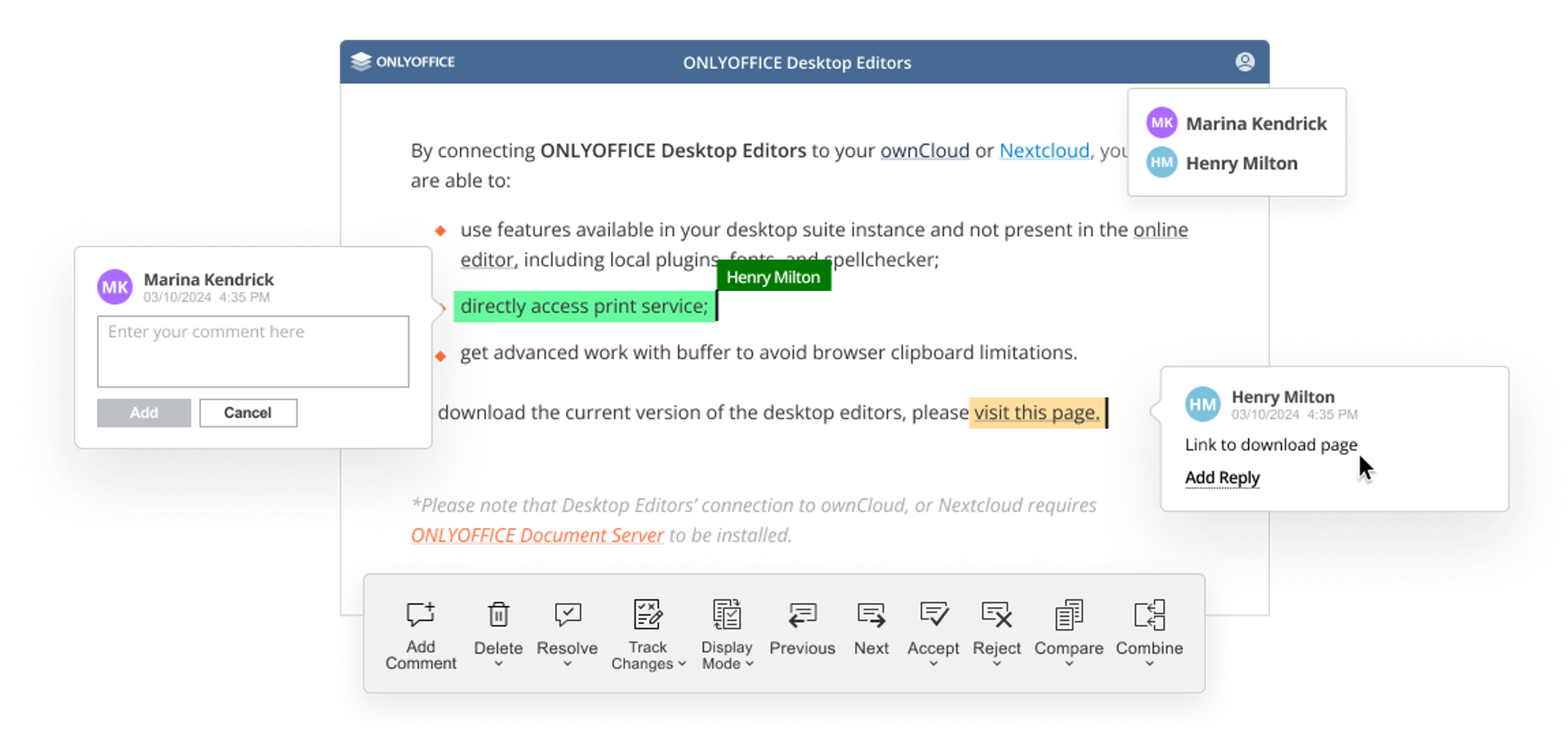
Image source: ONLYOFFICE Desktop Editors
ONLYOFFICE Desktop Editors provides free local editors for documents, spreadsheets, presentations, forms, and PDFs on Windows, macOS, and Linux. Its published format support includes DOCX, XLSX, and PPTX, making it worth shortlisting when clients expect editable Microsoft-format deliverables.
Consider a consultant who receives Word proposals, updates a spreadsheet, and returns a presentation to a client. ONLYOFFICE offers those tasks within a tab-based desktop workflow. The practical question is whether that particular consultant’s templates and files survive editing and export—not whether a vendor lists the file extension.
The desktop application can connect to compatible cloud platforms, including Nextcloud and ownCloud, for collaboration. That is useful if you already operate a suitable system, but the free application does not remove server, hosting, administration, or service costs. Available collaboration features depend on the connected platform and deployment.
Choose it when local document editing and optional cloud connections match your needs. Look elsewhere for a ready-made subscription combining business mailboxes and the full communication stack. Its community and help center provide installation guidance, while enterprise support and deployment assistance are separate offerings. Pilot important spreadsheets and any macros before committing: format support alone cannot confirm equivalent automation.
Review ONLYOFFICE installation, configuration, and support documentation.
3. Zoho Workplace: Our Budget Shortlist for Small Business Teams
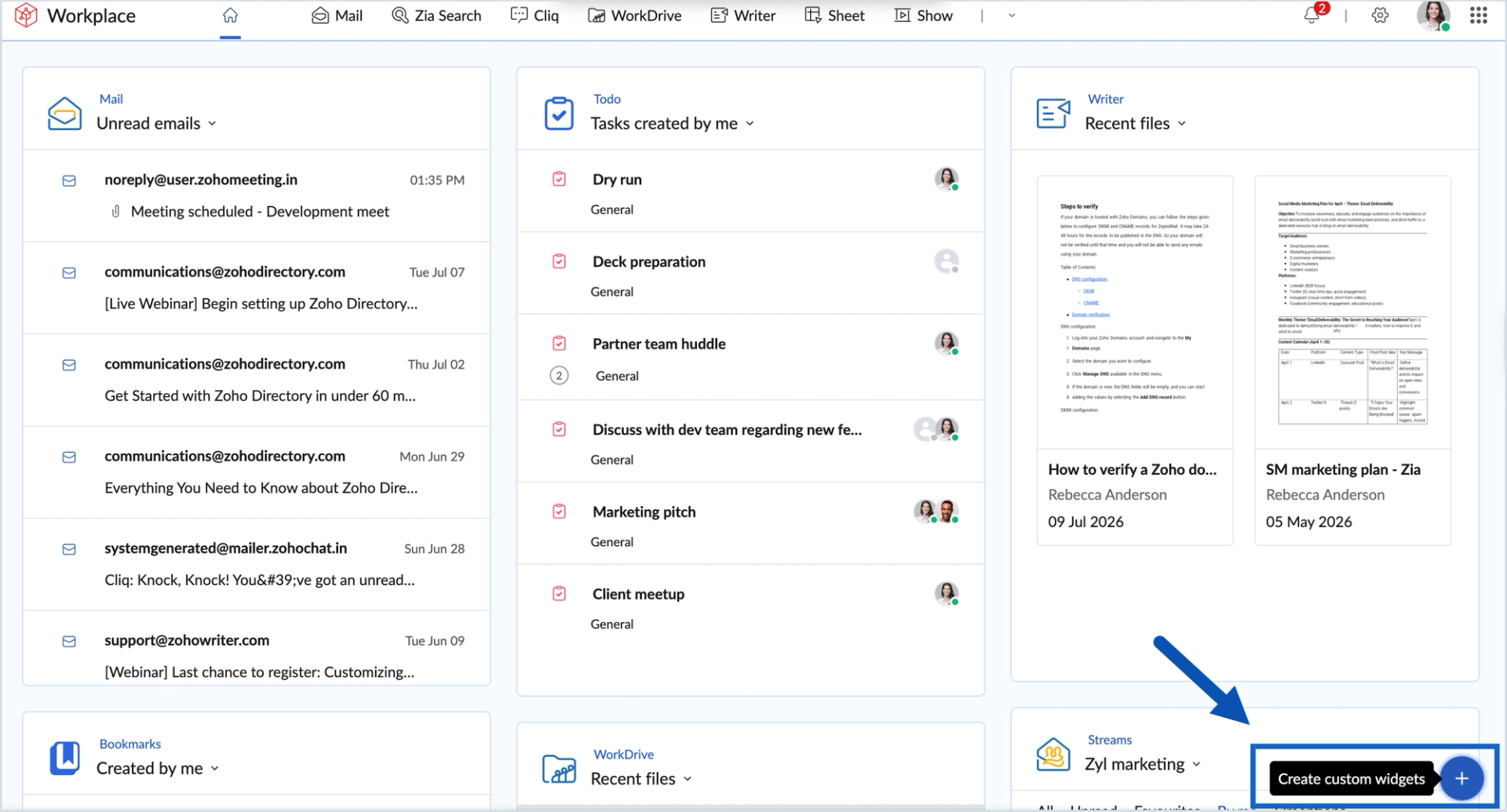
Zoho Workplace is a broader Microsoft 365 alternative for organizations that need communication and documents together. Its Standard plan combines business email, file management, collaborative office tools, chat, and meetings. That makes it more relevant to a small agency or growing service business than a desktop editor on its own.
Zoho’s published USD Standard rate is US$3 per user per month when billed annually, or US$4 with monthly billing. At those rates, ten users would cost US$360 for an annual subscription or US$480 across twelve monthly payments, before taxes and extras. Those examples are calculations from the list rates, rather than quotes for every region.
The business case is straightforward: staff can use company email, create shared proposals, review spreadsheets, and discuss work inside one suite. The tradeoff is adapting templates, habits, and integrations. Confirm storage allowances, meeting limits, and the exact features in your chosen edition; do not assume a cheaper Zoho Mail subscription includes the full Workplace bundle.
Zoho also provides migration tools for Microsoft 365 email-related data, but moving mail does not automatically reproduce your document permissions, add-ins, or business processes. Its limited free email offer is available only in select data centers and excludes IMAP, POP, and ActiveSync. For a business migration, evaluate the paid Workplace edition on its own merits and pilot Excel-heavy work before rollout.
Check Zoho Workplace’s live pricing, storage allowances, trial, and plan comparison.
Review Zoho’s migration and application overview.
4. Google Docs and Workspace: A Practical Choice for Browser-Based Teamwork

Image source: Google Docs and Workspace
Google Docs, Sheets, and Slides are useful free personal tools when the priority is shared editing. A small project group can draft a document, discuss changes, and work from a common online version rather than emailing attachments. For readers comfortable with browser apps, that can be an accessible way to begin.
Google Workspace is the business offering and should be assessed separately. Paid plans add organizational services such as custom business email and administration. Business Starter’s standard USD rate is US$7 per user per month with an annual commitment, or US$8.40 on the flexible plan. The annual commitment totals US$84 per user for a year; flexible pricing totals US$100.80 if used for twelve months.
The reason to choose Workspace is the collaboration workflow, rather than an assumption that it always undercuts Microsoft. A team drafting sales proposals, maintaining a content calendar, and reviewing routine reports may value working from shared links. However, personal Google accounts are not a substitute for the ownership and account controls a business needs.
Check complex spreadsheet models, export formatting, and offline behavior before switching. Google’s annual commitment also limits when you can reduce purchased licenses, while the flexible plan is designed for changing account counts. Prefer Workspace when browser collaboration is the requirement you value most; keep specialist Microsoft workflows where the migration would create avoidable friction.
Compare Google’s standard prices, cancellation terms, and license commitments.
Review Google Docs collaboration and editing features.
5. WPS Office: Convenient Office and PDF Tools, with Paid Boundaries
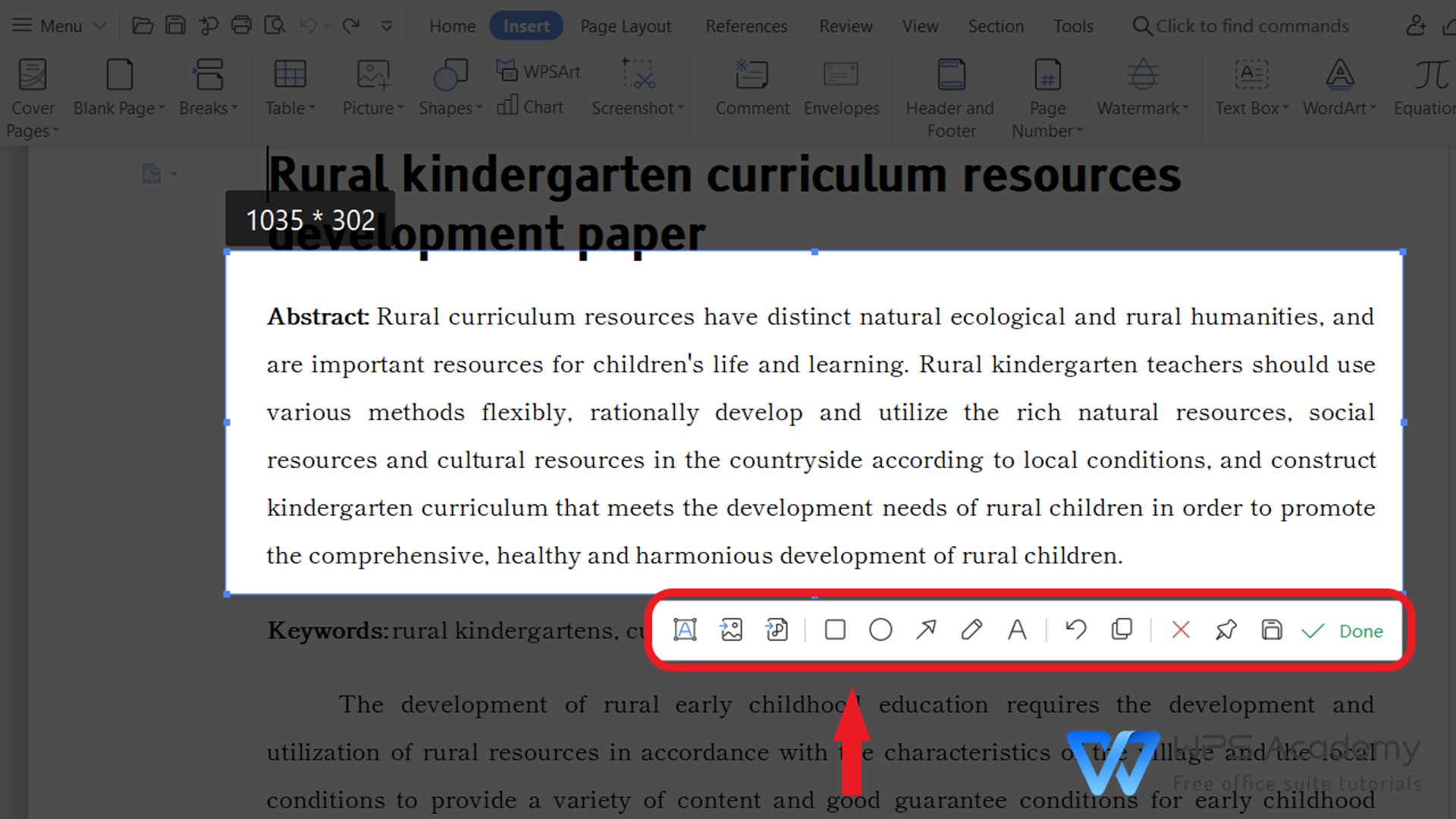
WPS Office brings document, spreadsheet, presentation, and PDF tasks into a unified suite. Its free Standard plan is a useful starting point for everyday editing, especially if you would rather use one workspace than assemble separate applications for common files.
An individual could draft a proposal, update a budget, and read a PDF with the same suite. WPS offers desktop and mobile versions, but you should check the specific platform you intend to use. A feature advertised for the product family does not necessarily have the same availability or entitlement on every device.
Standard includes basic PDF access, limited template downloads, and 1 GB of cloud space. The pricing page lists Pro+ at US$69.99 per year, displayed as US$5.83 per month, with full PDF editing and conversion tools, more storage, an advertising-free experience, and essential AI tools subject to usage limits. The page states that these prices apply to PC and Android; check other platforms separately.
This makes WPS a good shortlist if office and PDF tasks are closely connected in your day. It becomes less compelling if your essential task sits behind an upgrade you did not budget for. Test that task in the free version, review renewal terms, and confirm usage limits before paying. Treat business email and organization-wide administration as separate requirements rather than assuming a personal office subscription replaces them.
See WPS Standard and Pro+ pricing, included benefits, and platform terms.
6. FreeOffice: A Straightforward Desktop Option for Everyday Work
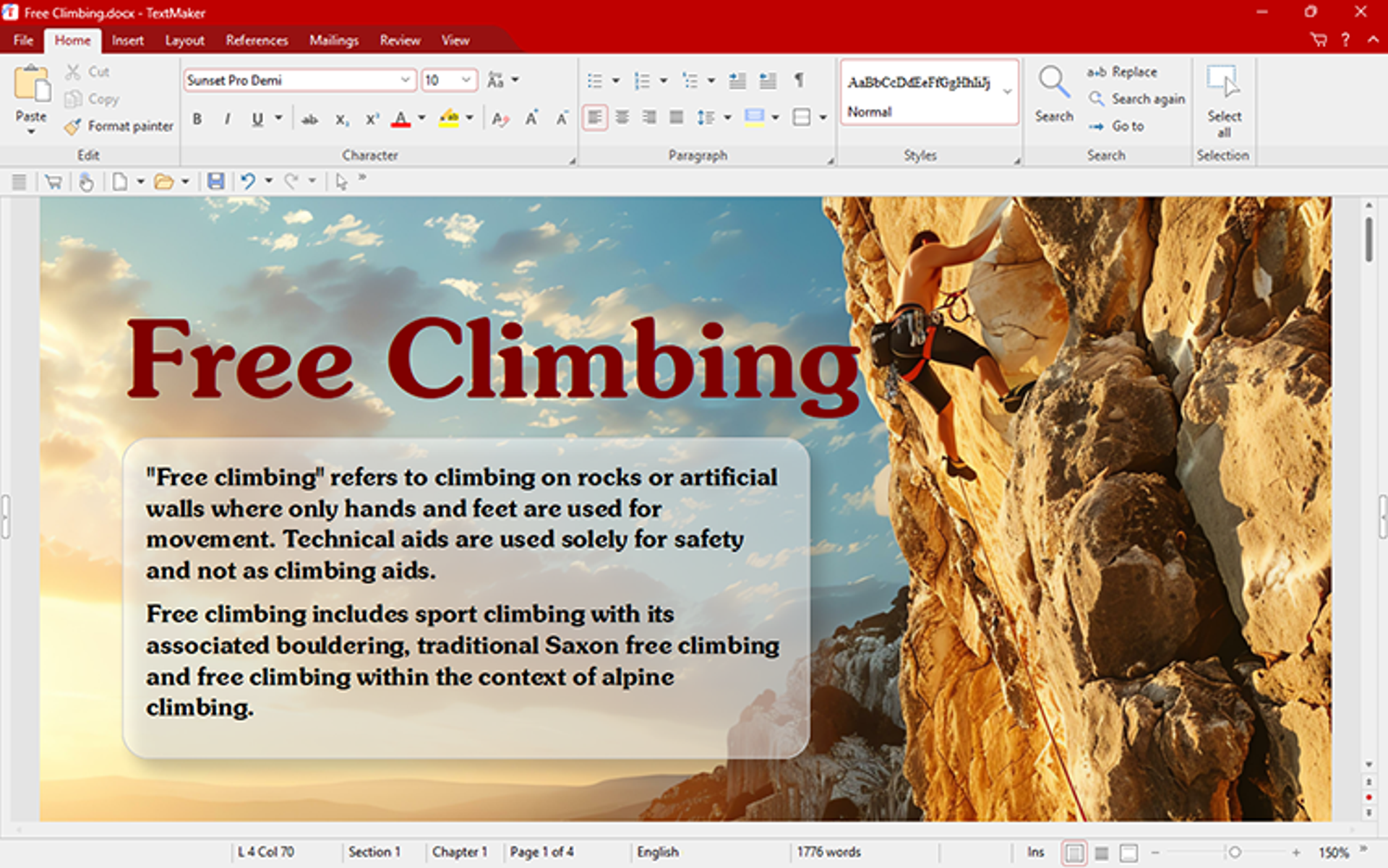
FreeOffice covers the core desktop trio through TextMaker, PlanMaker, and Presentations. SoftMaker makes FreeOffice available without charge for personal and business use on Windows, macOS, and Linux. It is a practical candidate for people who need ordinary office work rather than a larger cloud platform.
A small shop might use it to write customer letters, maintain a simple budget, and prepare a short presentation. Its choice of ribbon or classic menu interfaces is useful if you want a familiar working style. That does not eliminate all training, but it gives users a way to begin with the layout they prefer.
The advantage is a focused scope and no required FreeOffice subscription. The limitation is the same scope: you still need separate business email, online meetings, and hosted collaboration if those matter to your work. Check advanced requirements against FreeOffice specifically, rather than assuming that features promoted for paid SoftMaker products are included.
FreeOffice is our beginner shortlist for uncomplicated local productivity, particularly when interface choice matters. It is less suitable as the sole purchase decision for a company replacing an entire Microsoft 365 environment. Run the same round-trip file checks you would with any office alternative, and look at the vendor’s documentation and support options before a wider deployment.
Compare FreeOffice’s applications, interfaces, and supported platforms.
What Does “Cheap” Mean Once You Count the Whole Workflow?
A free license is only one part of the budget. For individuals, the hidden expense may be time spent learning an editor or repairing a document. For businesses, it can include email, storage, backups, hosting, administration, training, migration, and paid support. Calculate the cost of the replacement workflow rather than comparing two isolated app prices.
For example, LibreOffice costs nothing to download, but a business using it may still pay for mailboxes and shared storage. ONLYOFFICE can fit an existing cloud setup, yet maintaining that setup has a cost. Zoho’s bundled approach may reduce the number of separate services you purchase. These are different ways to organize spending, not interchangeable subscriptions.
Free-plan restrictions deserve a task-by-task check. WPS limits templates, storage, and premium capabilities; Google’s personal tools do not provide the full business administration package; free desktop suites do not automatically include hosted teamwork or contractual support. Check export and conversion entitlements, AI allowances, commercial-use terms, and any watermark behavior for the exact feature and platform you will use.
Annual pricing can reduce a headline rate while increasing commitment. For a stable team, that may be reasonable. For seasonal staffing or an uncertain rollout, monthly flexibility can be worth the extra cost. Record the renewal price and cancellation terms before accepting a promotional offer.
Collaboration, Integrations, Support, and Data Control
The collaboration test should reflect a real approval process. Ask two colleagues to edit a shared proposal, leave comments, restrict a reviewer to the appropriate access, and retrieve an earlier version. For desktop suites, decide how files will be shared and who owns the authoritative copy. For cloud suites, check what happens when an employee leaves.
Make a list of integrations your team uses: CRM exports, accounting spreadsheets, calendar connections, automation, document signing, and browser add-ons. A suite can cover the everyday office apps while leaving a critical connection unresolved. ONLYOFFICE publishes cloud and plugin options; Google and Zoho provide broader platform ecosystems. Availability alone is not proof that your existing workflow transfers unchanged.
Support also affects the decision. LibreOffice offers community assistance and documentation with professional support available separately; ONLYOFFICE distinguishes community resources from enterprise support. For paid cloud or WPS offerings, verify the channels, eligibility, and service commitments in your chosen plan. If work cannot wait for a forum response, include the support you need in the cost comparison.
Review how documents are stored and shared, who can access them, and what administrative controls you require. Local desktop editing gives you control over file location, but backups, device access, and patching still need attention. Cloud collaboration needs a review of sharing defaults, account recovery, data export, and organizational ownership. Check AI and third-party plugin data handling separately before using confidential material.
How to Switch Without Losing Productive Time
Start by listing the Microsoft services and features you actually use. Separate document editing from email, storage, meetings, and automation. Then choose a pilot group with representative work: ordinary files are useful, but include your most demanding workbook, your client-facing document template, and a presentation with custom fonts.
Run a round-trip check. Open a copy of the original file in the alternative, make changes, save or export it in the required format, and reopen it in Microsoft Office. Examine pagination, tables, charts, formulas, comments, tracked changes, links, and presentation layouts. Test macros and add-ins separately. Keep originals and backups while resolving differences.
For a business platform migration, plan mailboxes, calendars, shared files, permissions, account ownership, and integrations as separate workstreams. Confirm which vendor migration tools cover your source data. Do not cancel the old service until the new setup is working and the data you need has been checked.
Prepare a short internal guide covering where files live, how to share them, which formats to deliver to clients, and how to request help. If a few users need Microsoft-specific features, consider retaining those licenses while moving simpler work elsewhere. A gradual switch can reveal compatibility problems before they affect every employee.
Our Verdict: Choose the Suite That Fits the Work
Start with LibreOffice if you want a capable free desktop suite and do most work locally. Evaluate ONLYOFFICE next if Microsoft-format exchanges and optional cloud connections are central to your routine. Choose FreeOffice when straightforward editing and interface choice matter more than a broad feature set.
For small businesses replacing company email and collaborative office tools together, Zoho Workplace is our budget shortlist. Choose Google Workspace when its browser-based teamwork is the stronger fit and the total price makes sense for your organization. Consider WPS when its combined office and PDF workflow is useful enough to justify any paid features you need.
The best cheap Microsoft 365 alternative is the one that completes your real work at a lower sustainable cost. Test the files, price the missing services, and keep Microsoft where specialist dependencies make it the more practical choice.
Sources and Further Reading
This guide uses official vendor information reviewed on October 3, 2026. Follow the pricing and documentation links for current plans, regional offers, support terms, and feature availability.
Microsoft 365 business plan comparison
LibreOffice product overview and documentation
LibreOffice system requirements
ONLYOFFICE Desktop Editors features and integrations
ONLYOFFICE desktop support and installation guides
Zoho Workplace pricing and editions
Zoho Workplace features and migration overview
Google Workspace billing commitments and standard prices
WPS Office features and platform availability
FreeOffice features and commercial-use availability
Related on PICKMYSOFT: Microsoft 365 pricing, plans, features, and whether it is worth it.