Whether you're crafting a striking brand logo, designing social media graphics, building a UI prototype, or creating apparel prints for a clothing line, the best graphic design software for PC makes all the difference. In 2026, the market offers a rich mix of professional powerhouses, beginner-friendly platforms, and free open-source options — each suited to different workflows and budgets.
This guide covers the top 5 graphic design software programs for PC, explores the best computer programs for graphic design across experience levels, and wraps with a dedicated section on the best graphic design software for clothing design — so no matter your goal, you'll find the right tool here.
What to Look for in the Best Graphic Design Software
Before choosing your tool, consider these five key factors:
- Design type: Vector editors (scalable paths and shapes) for logos and illustrations; raster editors (pixel-based) for photo manipulation and digital art.
- Skill level: Some tools are drag-and-drop beginner-friendly; others require a significant learning investment.
- AI features: In 2026, AI tools like generative fill, background removal, and smart recoloring are game-changers for speed and creativity.
- Pricing model: Subscription vs. one-time purchase dramatically affects long-term cost.
- Platform compatibility: Most top tools run on Windows and Mac; some are web-based or mobile-first.
Top 5 Graphic Design Software for PC in 2026
1. Adobe Illustrator — Best Professional Graphic Design Software for PC
Adobe Illustrator is the definitive best vector graphic design software used by professionals worldwide. Built for creating logos, icons, brand identities, typography, and illustrations, its vector-based approach keeps every design razor-sharp at any size — from business card to billboard. In 2026, Illustrator is powered by Adobe Firefly generative AI, bringing one-click text effects, AI pattern generation, recolor artwork tools, and generative fill to the creative workflow.
As part of Adobe Creative Cloud, Illustrator gives you access to Photoshop, InDesign, Premiere Pro, and over 20 apps in one subscription — making it the most comprehensive professional graphic design software suite available anywhere.
Pricing (2026): From $22.99/month (single app) | $69.99/month (Creative Cloud Pro — all apps)
Platforms: Windows and Mac
Key features:
- Industry-leading vector drawing, Bézier path editing, and anchor tools
- AI Firefly tools: generative fill, text effects, AI recolor artwork
- Thousands of typefaces via Adobe Fonts included with every subscription
- Artboard presets for print, web, video, and social media formats
- Deep integration with Photoshop, InDesign, and the full Adobe CC ecosystem
Pros: Most powerful vector editor available, industry standard, enormous learning resource library
Cons: Subscription-only with no perpetual license; steep learning curve for newcomers
Best for: Professional graphic designers, branding agencies, illustrators, and anyone looking for the best design software for logos, brand identities, and scalable visual assets.
2. CorelDRAW — Best One-Time Purchase Graphic Design Software for Windows
CorelDRAW has been a cornerstone of the graphic design software for PC market for over three decades. What separates it from Adobe is simple: it can be purchased outright for a one-time fee, making it one of the most cost-effective professional graphic design programs for Windows power users. CorelDRAW Graphics Suite bundles a vector editor, Corel PHOTO-PAINT (a raster editor), and a font manager in a single desktop application optimized for Windows.
Pricing (2026): $22.42/month (billed annually) | $549 one-time perpetual purchase
Platforms: Windows and macOS; browser-based web app for subscribers
Key features:
- Full-featured vector editor with advanced node, shape, and path tools
- Corel PHOTO-PAINT for raster image compositing and photo editing
- AI-powered PowerTRACE for converting photos to clean scalable vectors
- Advanced variable font support and professional typography controls
- Large template library for print, marketing materials, signage, and web graphics
Pros: Perpetual license option available, all-in-one vector and bitmap suite, Windows-optimized, excellent for print production
Cons: Less industry-wide adoption than Adobe; slightly steeper initial learning curve
Best for: Print designers, marketing professionals, sign makers, and PC users who want a complete best computer program for graphic design without paying a subscription forever.
3. Canva — Best Graphic Design Software for Beginners
Canva has transformed what it means to be a graphic design software for beginners by putting professional-quality templates and AI tools in the hands of anyone with a browser. With over 250,000 templates covering social media posts, presentations, posters, business cards, and more, Canva produces impressive results in minutes — no design training required.
Canva's AI suite — Magic Studio, Canva AI, and Magic Design — handles everything from AI image generation and background removal to text-to-image creation and one-click brand application. Following Canva's acquisition of Affinity, the platform now bridges beginner accessibility with professional-grade tools.
Pricing (2026): Free plan available | Pro: $18/month per user | Business: $25/month per user | Enterprise: Custom
Platforms: Windows, Mac, iOS, Android, ChromeOS, and any web browser
Key features:
- 250,000+ templates across every design category imaginable
- Magic Studio AI: AI image generation, background removal, text-to-image
- Brand Kit for consistent colors, fonts, and logos across all designs
- Real-time team collaboration and comment tools
- Direct social media publishing, scheduling, and content calendar
Pros: Easiest learning curve on this list, outstanding free plan, the best template library, available on every device
Cons: Limited advanced vector control; not ideal for professional print production files
Best for: Marketers, small business owners, social media managers, entrepreneurs, and anyone who needs great-looking designs fast without a deep technical background.
4. Affinity Designer — Best Free Graphic Design Software for PC
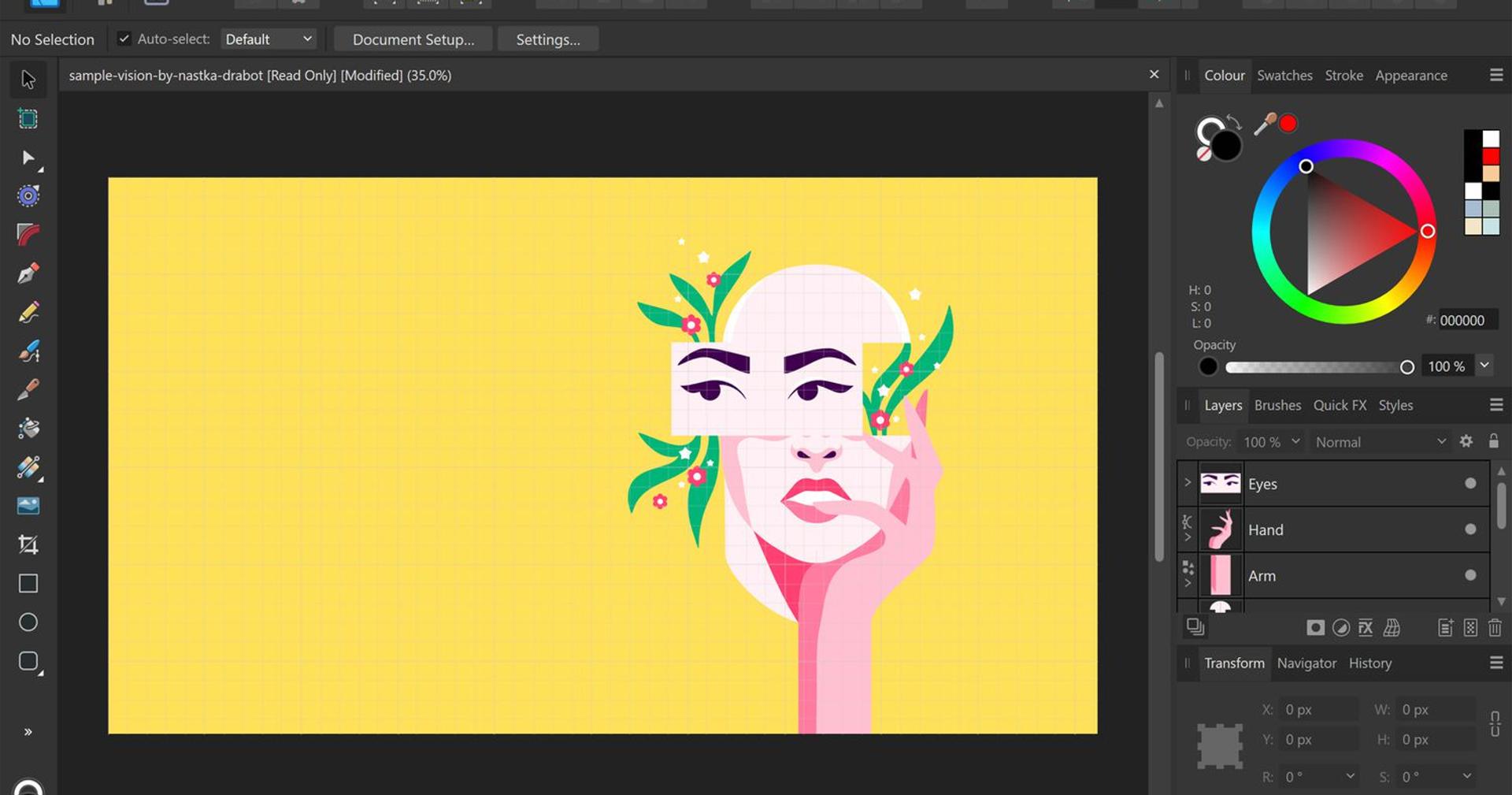
Affinity Designer by Canva is the best free professional graphic design software for PC in 2026. Now completely free after Canva's acquisition, Affinity Designer offers a full non-destructive vector workflow, a Pixel Persona for combined raster editing, and professional typography tools — capabilities that previously cost over $50 as a one-time purchase. For designers who need serious vector tools without spending a penny, nothing comes close.
Pricing (2026): Free (with paid add-ons for select advanced features)
Platforms: Windows and Mac (desktop only)
Key features:
- Professional Bézier vector editing with smooth curve tools and node control
- Pixel Persona for seamless switching between vector and raster workflows
- Non-destructive live effects, adjustments, and layer blending modes
- Multi-page artboard support for complex, multi-format projects
- Works fully offline — no internet connection required
Pros: Completely free, professional-grade tools, no subscription pressure, excellent offline performance
Cons: Steeper learning curve than Canva; fewer AI features; no cloud collaboration or real-time team editing
Best for: Freelance designers, design students, and professionals seeking a powerful Adobe Illustrator alternative at zero cost.
5. Figma — Best Graphic Design Software for Web and UI/UX Design
Figma dominates the web and UI/UX graphic design software space with its real-time collaboration, reusable component systems, and best-in-class prototyping tools. In 2026, Figma AI and Figma Make — a generative AI tool that transforms design concepts into interactive prototypes — have positioned Figma as the fastest path from idea to developer-ready digital product.
Pricing (2026): Free plan | Professional: $20/month per seat | Organization: $55/month | Enterprise: $90/month
Platforms: Windows, Mac, and web browser
Key features:
- Real-time multiplayer collaboration — multiple designers on the same canvas simultaneously
- Reusable components, shared design systems, and auto layout tools
- Figma AI and Figma Make for generative prototyping and developer handoff
- Responsive design constraints and interactive state management
- Thousands of free community plugins, UI kits, and design templates
Pros: Industry standard for digital product design, excellent free plan, best-in-class collaboration, cross-platform
Cons: Not suited for print design or photo editing; requires a reliable internet connection
Best for: Web designers, UI/UX designers, product teams, and digital agencies who need seamless collaboration on a shared design system.
Best Graphic Design Software for Clothing Design
Designing apparel requires specific tools built to handle flat technical sketches, print-ready vector artwork, color separations, and garment specifications. Here are the top recommendations:
Adobe Illustrator — Industry Standard for Clothing Design
Adobe Illustrator is the undisputed best graphic design software for clothing used by professional fashion designers and apparel brands worldwide. Its vector-based toolkit allows you to create precise flat sketches, tech packs, and print-ready artwork that scales perfectly to any garment size. Pattern creation tools, seamless repeat generators, and Pantone color libraries make it indispensable for textile and apparel work. Major fashion houses, embroidery studios, and screen printers use Illustrator as their primary design tool.
CorelDRAW — Best for Screen Printing and Custom Apparel
CorelDRAW is a top choice for clothing and custom apparel design, particularly popular in the screen printing, embroidery, and promotional products industries. Its AI-powered PowerTRACE tool converts photos into clean vectors suitable for garment printing, and its advanced color separation features are valued by professional print shops producing custom T-shirts, jackets, and branded merchandise.
Canva — Best for Print-on-Demand Clothing Design
Canva is the most accessible tool for print-on-demand clothing and merchandise design. It's perfect for creating T-shirt graphics, hoodie artwork, and custom merch for Etsy, Redbubble, Printful, and Merch by Amazon. Its mockup templates let you visualize designs on actual garments before publishing, and its huge library of graphic elements and fonts makes it easy to create eye-catching apparel artwork without professional design skills.
CLO 3D — Best for 3D Garment Simulation
CLO 3D is the professional standard for 3D clothing design and garment simulation, allowing fashion designers to drape, fit, stitch, and visualize garments in three dimensions before any physical sample is cut. It's used by major fashion brands to reduce sampling costs and accelerate the design-to-production timeline.
Quick Decision Guide: Which Software Is Right for You?
- Professional logos, branding, and print design? → Adobe Illustrator / Creative Cloud
- One-time purchase for Windows without subscription? → CorelDRAW
- Beginner or small business owner? → Canva
- Free Adobe Illustrator alternative? → Affinity Designer
- Web design, UI/UX, and product teams? → Figma
- Clothing, apparel, and fashion industry? → Adobe Illustrator (professional) or Canva (print-on-demand)
- 3D garment design and virtual sampling? → CLO 3D
Final Thoughts
The best graphic design software for PC in 2026 depends entirely on your design discipline, budget, and goals. Adobe Illustrator remains the definitive best computer program for graphic design across branding, print, and apparel industries. CorelDRAW is the top choice for Windows-first designers who prefer a perpetual license. Canva opens professional design to everyone with zero barriers. Affinity Designer delivers pro-level vector tools completely free. And Figma leads the digital product design world.
Most of these platforms offer a free plan or trial — start there, experiment with your real projects, and let your actual workflow guide your final choice. The best graphic design tool is always the one that fits seamlessly into how you create.