What Is Cutout Pro? An Honest 2026 Overview
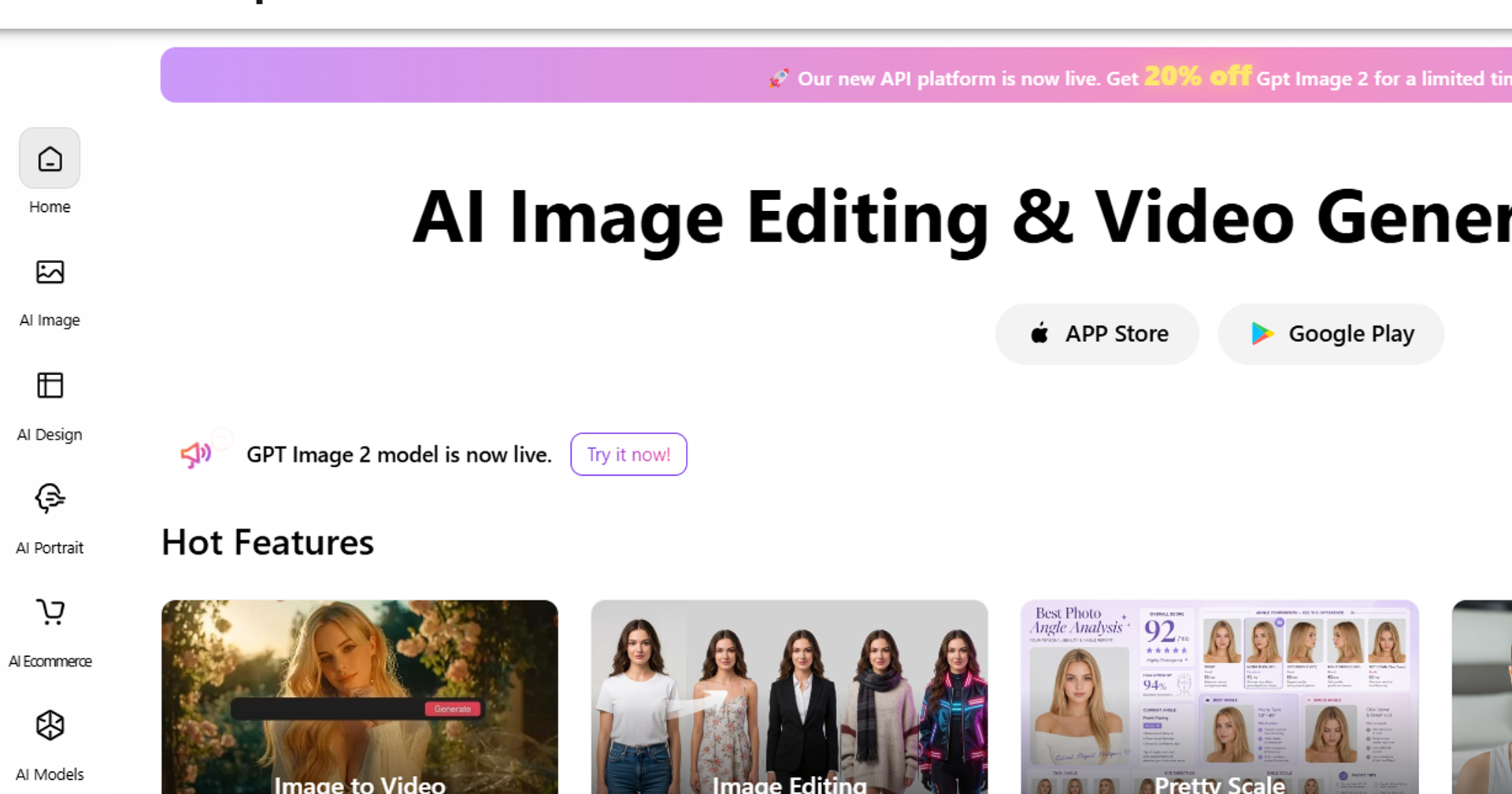
Launched in 2020, Cutout Pro has grown from a background-removal tool into one of the more comprehensive AI-powered image editing suites around. Background removal, photo enhancement, background blur, portrait editing, AI e-commerce staging, video enhancement — all of it sits behind a single dashboard. It's available via web browser at cutout.pro and as a desktop app for Windows and Mac, and most users won't need to install anything at all.
The platform runs on a credit-based pricing model, where each operation consumes a set number of credits depending on the task and output quality selected. Cutout Pro is widely used by e-commerce sellers, graphic designers, photographers, social media creators, and marketers who need fast, high-quality image processing at scale. With an aggregated rating of 4.2/5 across G2, Capterra, and Trustpilot, it has earned a strong reputation for accuracy and ease of use — with some caveats around pricing transparency and video processing costs that we cover in full below.
This review breaks down every major feature, all the pricing tiers, real user reviews, and an honest verdict on whether Cutout Pro is worth it for your workflow — covering everything from Cutout Pro's features and Enhance tool to its background removal.
Cutout Pro Features 2026: Complete Tool Breakdown
Cutout Pro has expanded well beyond its original background removal roots. In 2026, the platform offers dozens of AI-powered tools spanning image editing, design generation, portrait enhancement, e-commerce staging, and video processing. Here is a complete breakdown of the most important features.
1. Cutout Pro Remove Background
The Cutout Pro Remove Background tool is the platform's flagship feature and the reason most users discover it in the first place. The AI background remover delivers instant automatic detection and clean cutouts for people, products, animals, logos, and complex objects — with impressive edge accuracy even on fine details like hair and fur.
Key capabilities include:
- Automatic subject detection with no manual selection required
- Support for people, products, animals, logos, and complex objects
- Batch processing for multiple images simultaneously
- Input formats: JPG and PNG
- Free tier allows unlimited previews; downloading the result requires credits
Common use cases include e-commerce product shots, profile photos, passport photos, and social media graphics. For sellers on Amazon, Etsy, or Shopify, the batch background removal feature alone can save hours of manual editing work each week. This remains one of the best background remover tools available in 2026.
2. Cutout Pro Enhance: Image Enhancer & Photo Quality Upscaler
The Cutout Pro Photo Enhancer & Upscaler is one of the platform's most powerful and frequently used tools. It applies AI-driven improvements to image quality in a single click, making it invaluable for photographers, designers, and anyone working with older or lower-resolution images.
Core capabilities include:
- AI sharpening: Restores edge clarity and fine detail in soft or blurry images
- Noise reduction: Removes grain and digital noise from low-light or high-ISO shots
- Upscaling to 4x resolution: Enlarges images without the pixelation typical of traditional upscaling
- Blurry/pixelated image restoration: Recovers usable quality from degraded source files
- Old photo restoration: Repairs faded, scratched, or damaged historical photographs
Credit costs: Standard enhancement uses 1–2 credits per image; HD enhancement uses 2 credits. The HD mode produces noticeably sharper results and is recommended for professional client deliverables. Keywords naturally covered: cutout pro enhance, cutout pro photo quality enhancer, how to use cutout pro image enhancer.
3. How to Use Cutout Pro Image Enhancer: Step-by-Step
Using the Cutout Pro image enhancer is straightforward even for first-time users. Here is a complete walkthrough:
- Visit the Cutout Pro Image Enhancer page and sign in or create a free account.
- Click 'Upload Image' and select a JPG or PNG file from your device.
- The AI automatically analyzes and enhances the image — sharpening edges, reducing noise, and upscaling resolution.
- Preview the result side-by-side with the original to verify the improvement.
- Click 'Download' to save. Standard download uses 1–2 credits; HD download uses 2 credits.
- For batch enhancement, upload multiple images at once (available on the Starter plan and above).
Pro tips: Use HD mode for professional client deliverables where maximum quality is required. Use standard mode for social media content to conserve credits and keep costs down.
4. Cutout Pro Background Blur
The Cutout Pro Background Blur tool uses AI to automatically detect the subject in your image and apply a smooth, professional bokeh blur effect to the background — replicating the shallow depth-of-field look typically achieved with expensive camera lenses.
Key features:
- Automatic subject detection — no manual masking required
- Adjustable blur intensity to control the strength of the effect
- Smooth, natural-looking bokeh output
- Costs 1 credit per image
Ideal use cases include portrait photography, product shots, professional headshots, and social media content where a clean, distraction-free background enhances the subject. The tool is particularly popular among LinkedIn profile photo creators and small business owners who want polished visuals without a professional photography setup. Keywords: cutout pro background blur, cutout pro enhance.
5. AI Design Tools
Cutout Pro has expanded into AI-powered design generation, offering tools that go beyond photo editing into creative asset production. The AI Poster Generator creates ready-to-use marketing posters from text prompts and uploaded images. The AI Tattoo Generator produces custom tattoo design concepts. The AI Design Generator enables rapid creation of social media posts, banners, and marketing assets — useful for content creators and small business marketers who need professional visuals quickly without a dedicated design team.
6. AI Portrait & Headshot Tools
For personal branding and social media, Cutout Pro offers a suite of portrait-focused AI tools. The AI Headshot Generator transforms casual selfies into professional-quality headshots suitable for LinkedIn, company websites, and press kits. The Cartoon Selfie tool converts portraits into stylized cartoon or illustrated versions. The Virtual Try-On feature allows users to visualize clothing and accessories on their own photos — a growing use case for fashion e-commerce and personal styling.
7. AI E-Commerce Product Staging
One of Cutout Pro's most commercially valuable feature sets is its AI e-commerce product staging suite. The AI Virtual Model tool places product images onto realistic human model figures, eliminating the need for expensive photoshoots. AI Product Staging replaces messy or distracting backgrounds with clean white backgrounds or custom lifestyle scenes that match the product category. This toolset is ideal for Etsy sellers, Amazon sellers, and Shopify store owners who need consistent, professional product imagery at scale without the cost of a commercial photography studio.
8. AI Video Enhancer
Cutout Pro's AI Video Enhancer extends the platform's capabilities into video content. Supported formats include MP4, MOV, AVI, WebM, and GIF. The tool can upscale video to 4K resolution at up to 60fps, and supports video background removal and video upscaling operations.
Important pricing note: Video processing uses pay-per-second billing, with rates starting at $9.00 for a 1-minute clip ($0.15/second). This makes video processing significantly more credit-intensive than image operations. Users with heavy video editing needs should carefully evaluate whether Cutout Pro's video pricing fits their budget, or consider dedicated video editing tools for the bulk of their video work.
Cutout Pro App Download: How to Get Started
Getting started with Cutout Pro is quick regardless of your preferred platform:
- Web version: Visit cutout.pro directly from any modern browser — no installation needed. Works on Chrome, Firefox, Safari, and Edge.
- Desktop app: Available for Windows and Mac from the Cutout Pro app download page — recommended for users doing bulk editing or who prefer a native application experience.
- Mobile: Fully accessible via mobile browser on iOS and Android. A dedicated mobile app is also available for on-the-go editing.
Sign-up steps:
- Visit cutout.pro
- Click 'Sign Up'
- Register with your email address, Google account, or Apple ID
- Receive 5 free credits immediately — no credit card required
The free credits allow you to test the background remover, image enhancer, or background blur tool before committing to any paid plan. This makes Cutout Pro genuinely free to try, with no risk. Keywords: cutoutpro app download, cutout pro free.
Cutout Pro Price 2026: All Plans & Credit Costs Explained
Cutout Pro uses a hybrid pricing model that combines a free tier, pay-as-you-go credit packs, and monthly or annual subscriptions. Understanding how credits work is essential to choosing the right plan. Visit the Cutout Pro pricing page for the most current rates.
Free Account
Every new account receives 5 free credits on signup with no credit card required. The free tier includes unlimited previews of processed images, but downloading results requires credits. Note that free signup credits expire within 7 days if unused, so it is worth testing the tools promptly after registration.
Pay-As-You-Go (No Subscription)
For occasional users who do not need a monthly commitment, Cutout Pro offers credit packs that never expire:
- 10 credits: $3.99 ($0.40/credit)
- 40 credits: $9.99 ($0.25/credit)
- 100 credits: $19.99 ($0.20/credit)
- 200 credits: $34.99 ($0.17/credit)
- Alternatively: $4.99 for a 30-credit lifetime pack
Monthly Subscription Plans
Subscription plans offer significantly lower per-credit costs. Unused credits roll over for one month:
- Starter: $5.99/month — 50 credits ($0.12/credit) — batch upload, standard quality
- Pro: $14.99/month — 200 credits ($0.075/credit) — batch, HD quality, priority queue
- Business: $29.99/month — 500 credits ($0.06/credit) — batch, HD, priority, API access, team seats
- Enterprise: Custom pricing — dedicated support, SLA, custom integration
Annual Subscription Plans (Save ~30%)
Annual plans offer the best per-credit value for regular users:
- Starter Annual: $49.99/year ($4.17/month) — 50 credits/month ($0.083/credit)
- Pro Annual: $119.99/year ($10.00/month) — 200 credits/month ($0.05/credit)
- Business Annual: $249.99/year ($20.83/month) — 500 credits/month ($0.042/credit)
Video Processing Pricing
Video processing is billed on a pay-per-second basis, starting at $9.00 for a 1-minute clip ($0.15/second). This pricing model means that heavy video use can become expensive very quickly. Users processing more than a few minutes of video per month should budget carefully or consider whether a dedicated video tool would be more economical.
API Pricing
For developers and businesses integrating Cutout Pro into automated workflows:
- Developer: $19.99/month — 500 API calls
- Growth: $49.99/month — 2,000 API calls
- Scale: $149.99/month — 10,000 API calls
- Enterprise: Custom pricing
Credit Costs Per Operation
Here is a clear breakdown of how many credits each operation consumes:
- Background removal (standard): 1 credit
- Background removal (HD): 2 credits
- Image enhancement (standard): 1–2 credits
- Image enhancement (HD): 2 credits
- Background blur: 1 credit
- Video background removal: 3–5 credits/second
Note that multi-step workflows — for example, removing a background and then enhancing the same image — will consume credits for each operation separately.
Cutout Pro vs Competitors (Pricing)
So how does the pricing actually stack up against the competition?
- Cutout Pro Starter: $0.12/credit
- Remove.bg: ~$0.20/image at low volume
- Canva Pro: ~$0.05 amortized across all features, but no API access
- Photoroom Pro: ~$0.07/image
- Slazzer: $0.14/image standard, $0.08/image at bulk volume
The rates hold up well — especially at higher volumes on the Pro and Business annual tiers, where the per-credit cost drops to $0.042–$0.05. Need API access alongside image editing? That combination makes Cutout Pro especially strong value next to Remove.bg.
Cutout Pro Reviews & Ratings: What Real Users Say in 2026
To give you an honest picture of the Cutout Pro user experience, we have aggregated reviews from multiple independent platforms.
Ratings Overview
Cutout Pro holds an aggregated rating of 4.2/5 across major review platforms:
- G2 reviews: 4.4/5
- Capterra reviews: 4.3/5
- Trustpilot: 3.3/5
The gap between G2/Capterra and Trustpilot scores is notable and reflects a pattern seen with many SaaS tools: professional users rating on B2B platforms tend to be more satisfied than general consumers rating on Trustpilot.
Positive User Reviews
- Eduardo M., Senior Graphic Designer (via G2): Praised Cutout Pro's batch background removal for saving significant time on high-volume projects. Noted that the intuitive interface means no prior experience is needed to get professional results immediately.
- Verified IT Professional (via G2): Called it 'very easy to use with high accuracy across a variety of images,' and appreciated the simple upload-and-process workflow that requires minimal technical knowledge.
- Abraham B., Copywriter & Graphic Designer (via Capterra): Said Cutout Pro allowed him to generate advertisement images with clean, professional backgrounds, directly contributing to earning income from his creative work.
Critical User Reviews
- Data privacy concerns: Some Trustpilot reviewers have raised concerns about data privacy and how uploaded images are handled. Always review Cutout Pro's privacy policy before uploading sensitive personal media, particularly images of individuals.
- Credit model opacity: Some users found the credit model confusing — particularly the fact that HD processing costs double credits, and that video processing can drain a credit balance very quickly. We recommend reading the credit cost breakdown carefully before starting a video project.
Our Expert Rating
- Background Removal Accuracy: 9/10
- Photo Enhancement Quality: 8/10
- Ease of Use: 9/10
- Pricing & Value for Money: 7/10 (video pricing is expensive)
- Feature Breadth: 9/10
- Overall: 4.2/5
Cutout Pro Pros and Cons
Here is a balanced summary of Cutout Pro's strengths and weaknesses based on our testing and user review analysis.
Pros:
- Excellent AI accuracy for background removal on images
- No installation required for web use — works in any browser
- Beginner-friendly, clean, and intuitive interface
- Broad AI toolset covering images, design, portrait, e-commerce, and video
- Free credits on signup to test before buying — no credit card required
- Batch processing available from the Starter plan
- Credit rollover (one month) on all subscription plans
- Competitive pricing versus Remove.bg, especially at higher volumes
- API available for developers and automated pipelines
- Available on desktop (Windows/Mac) and mobile browser
Cons:
- Video processing is very credit-intensive due to per-second billing
- HD operations cost double the credits of standard operations
- Multi-operation workflows multiply credit usage quickly
- Mixed Trustpilot reviews — some data privacy concerns raised
- Subscription credits expire if not rolled over within a month
- Limited manual control settings compared to professional desktop editors
- No perpetual one-time purchase license available
Is Cutout Pro Worth It in 2026?
E-commerce sellers, photographers, and graphic designers working mostly with images get excellent value here, particularly on the annual Pro or Business tiers. On the Business Annual plan, the per-image cost drops as low as $0.042/credit — making it one of the more affordable professional background removal and enhancement solutions out there in 2026.
Video-heavy workflows are a different story — the per-second billing model can get expensive fast next to dedicated video editing tools. If video makes up a significant chunk of your workflow, lean on Cutout Pro for the image tools and look at a dedicated video platform for the bulk of the video work.
Recommendation by use case:
- Occasional user (fewer than 20 images/month): Pay-as-you-go credit packs — no commitment, credits never expire
- Regular e-commerce seller (20–200 images/month): Starter or Pro Annual plan for best per-credit value
- Photography studio or agency (200–500 images/month): Business Annual plan — lowest per-credit cost with API access
- Developer or automated pipeline: API Growth or Scale plan
- Video editors: Consider dedicated video tools alongside Cutout Pro for image processing
Final Verdict: Cutout Pro Review 2026
Cutout Pro delivers on its core promise: fast, accurate background removal and genuinely high-quality image enhancement, wrapped in a beginner-friendly platform. At $5.99–$14.99/month for image-focused workflows, the value undercuts a lot of competitors. And the feature set runs broad — the photo quality enhancer, the background blur tool, AI e-commerce staging — which adds up to a powerful all-in-one solution for visual creators at every level.
The caveats are real, though: video processing is expensive on that per-second billing model, HD operations double your credit cost, and a handful of user reviews raise privacy concerns worth noting. Still, for image-first workflows, Cutout Pro earns its spot among the best AI photo editing tools of 2026.
Try Cutout Pro free at cutout.pro today and use your 5 complimentary credits to test the background remover or image enhancer before committing to a plan.