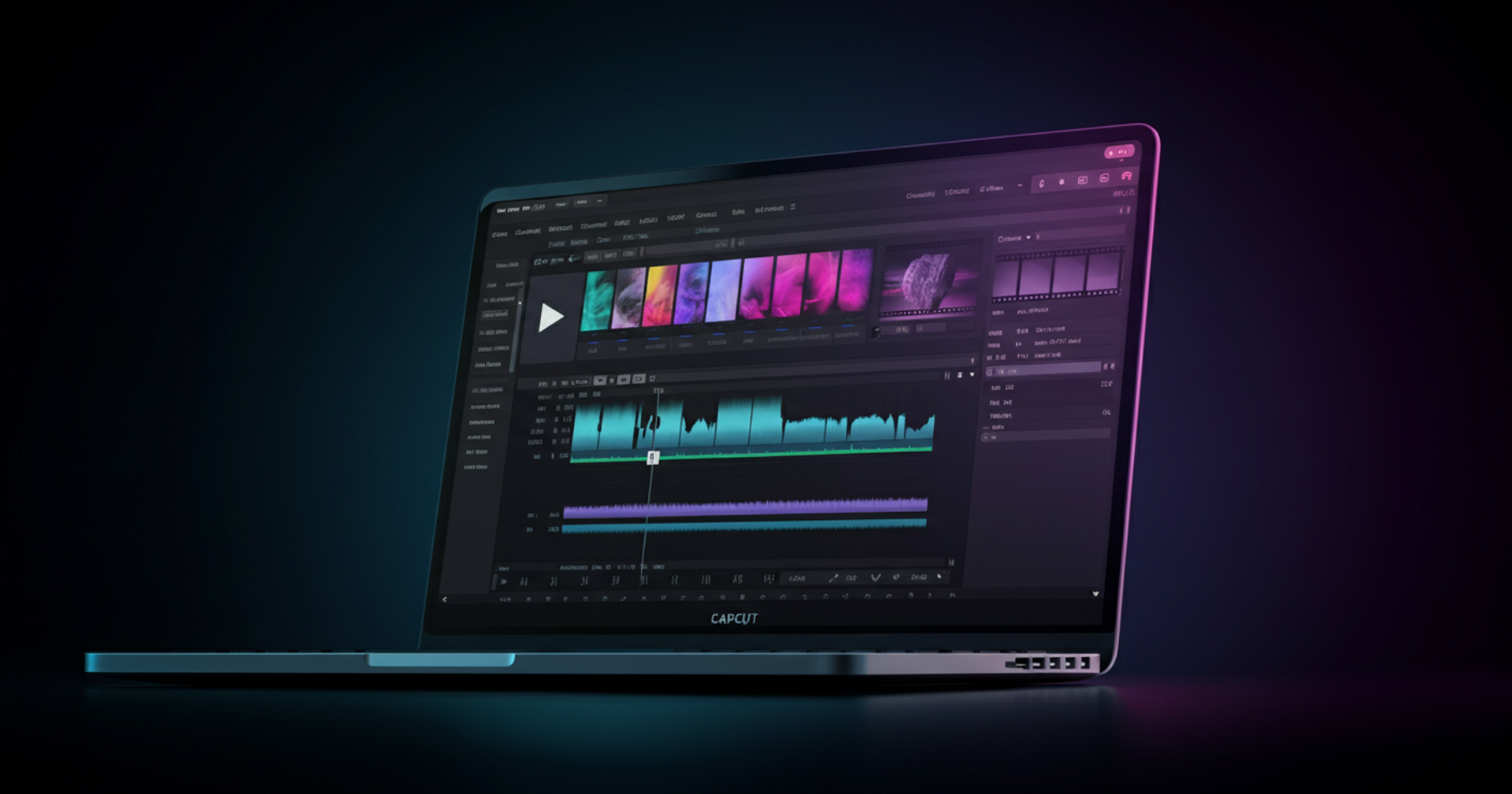
What Is CapCut Pro?
ByteDance — the company behind TikTok — also makes CapCut, and it's turned into one of the most popular video editing apps on the planet. Hundreds of millions of downloads across iOS, Android, Windows, and Mac later, it's become the default video editor for creators at every skill level.
The premium subscription tier, CapCut Pro, unlocks the platform's full suite of AI-powered tools, 4K export, unlimited cloud storage, and commercial licensing. Heading into 2026, it's widely considered the best video editing app 2026 for mobile and desktop creators chasing professional results without a steep learning curve — or a steep price tag.
Short-form content for TikTok and Instagram Reels, full YouTube videos, polished client work — CapCut Pro gives you the tools to do all of it faster and better. It runs on iOS (iPhone and iPad), Android (phones and tablets), and PC, with Windows and Mac covered via capcut.com or the desktop app.
The free plan already impresses on its own. CapCut Pro strips away every meaningful limitation on top of that and adds a layer of AI features that can genuinely change how you work.
CapCut Pro Features 2026: Everything You Get
The CapCut Pro subscription is packed with tools that go far beyond what the free plan offers. Here's a detailed breakdown of every major CapCut Pro feature in 2026.
Unlimited AI Auto-Edit
CapCut's AI Auto-Edit is one of its most impressive capabilities. The AI analyzes your raw footage, identifies the best moments, syncs cuts to music, and assembles a polished edit — automatically. On the free plan, you're limited to just 5 AI Auto-Edits per month. With CapCut Pro, that cap is completely removed. For creators producing daily or weekly content, this feature alone can save hours of editing time every single week.
Unlimited Auto Captions
Auto Captions is another standout CapCut Pro AI feature. It transcribes your video speech into styled, animated captions with remarkable accuracy across 50+ languages. The free plan caps caption generation at 10 minutes per video — a real limitation for long-form content. CapCut Pro removes this restriction entirely, making it ideal for podcasters, educators, and long-form YouTubers.
4K Export
The free plan tops out at 1080p. CapCut Pro 4K export lets you render your videos at full 4K resolution — essential for YouTube uploads, client deliverables, digital signage, and any content where visual quality matters. In 2026, 4K is increasingly the baseline expectation for professional video work.
100 GB Cloud Storage
CapCut Pro includes 100 GB of cloud storage, compared to just 1 GB on the free plan. This means you can sync projects across all your devices seamlessly, back up raw footage, and collaborate with team members without worrying about running out of space.
Full Commercial License
This is a critical feature for freelancers and agencies. The free plan comes with a limited commercial license. CapCut Pro grants a full commercial license, meaning you can legally use your CapCut-edited content for client work, advertising campaigns, broadcasting, and monetized platforms without any restrictions.
Custom Brand Kit
Pro subscribers can upload their own fonts, logos, and brand colors to create a persistent Brand Kit. This makes it fast and easy to maintain a consistent visual identity across every video you produce — a huge time-saver for social media managers and agencies handling multiple brands.
Priority Export
When CapCut's servers are busy, free users wait in a longer export queue. CapCut Pro subscribers get priority export, meaning your videos render faster — especially valuable when you're working to a deadline.
Premium Template Library
CapCut's template library is one of its most popular features, with thousands of trending, professionally designed templates updated regularly. The free plan gives partial access. CapCut Pro unlocks the full premium template library, including exclusive templates not available to free users.
AI Effects Generator
CapCut Pro gives you unlimited access to the AI Effects Generator, which lets you create custom visual effects using text prompts. Free users are limited to just 3 AI effects per month. With Pro, you can experiment freely and add unique, eye-catching effects to every video.
Background Remover & Smart Cutout
CapCut's AI-powered Background Remover and Smart Cutout tools let you isolate subjects from their backgrounds with a single tap. These tools are available on the free plan with usage limits; Pro users get unlimited access — perfect for product videos, talking-head content, and creative compositing.
Text-to-Speech & AI Voice
CapCut Pro includes access to 100+ AI voice styles for text-to-speech narration. Whether you need a professional voiceover, a character voice, or a multilingual narration, the AI Voice tool delivers high-quality audio without recording a single word.
CapCut Pro for PC
CapCut Pro for PC brings the full Pro feature set to Windows and Mac via the CapCut desktop app (available at capcut.com). The desktop experience offers a larger timeline, more precise editing controls, and the same AI tools available on mobile — making it a genuine alternative to traditional desktop editors for creators who prefer working on a bigger screen.
CapCut Pro Price 2026: All Plans Compared
One of CapCut Pro's biggest selling points is its pricing. Here's a full breakdown of every plan available in 2026.
Free Plan — $0/month
CapCut's free plan is genuinely one of the best free video editing options available anywhere. It includes: full editor access with no watermark, 1080p export, 5 AI Auto-Edits per month, 10-minute cap on auto captions per video, 3 AI effects per month, 1 GB cloud storage, limited commercial license, and access to a subset of templates. For casual creators and hobbyists, the free plan is more than enough.
Pro Plan — $7.99/month (or $5.99/month billed annually)
The CapCut Pro subscription is available at two price points: Monthly billing at $7.99/month, or Annual billing at $5.99/month (billed as $71.88/year — saving 25% vs monthly). The CapCut Pro annual plan is the best value for creators who plan to use it consistently.
The Pro plan includes everything in Free, plus: unlimited AI Auto-Edit, unlimited auto captions, 4K export, 100 GB cloud storage, full commercial license, custom Brand Kit, priority export, full premium template library, unlimited AI effects, and email support.
CapCut Pro Student Discount
CapCut offers a CapCut Pro student discount of 50% off the Pro plan. Students pay just $3.99/month with a valid .edu email address. This makes CapCut Pro one of the most affordable professional video editing tools available to students — significantly cheaper than Adobe Premiere Pro or Final Cut Pro.
Team Plan — $12.99/user/month (or $9.99/user/month billed annually)
The CapCut Pro team plan is designed for agencies, marketing teams, and businesses. Monthly billing is $12.99/user/month; annual billing is $9.99/user/month. The Team plan adds real-time collaboration on shared projects, a shared 500 GB asset library, admin controls and user management, API access, and dedicated support.
Competitor Price Comparison
How does the CapCut Pro cost stack up against the competition? CapCut Pro is the most affordable option among dedicated video editing platforms with AI features:
| Tool | Price |
|---|---|
| CapCut Pro | $7.99/mo |
| Adobe Premiere Pro | $22.99/mo |
| Filmora | ~$4.17/mo (billed $49.99/yr) |
| Canva Video (Pro) | $12.99/mo |
| VEED.io | $18.00/mo |
Yes, Filmora's annual plan runs a bit cheaper — but CapCut Pro's AI toolset and mobile-first experience still give it the edge for most creators.
Does CapCut Pro Have a Free Trial?
CapCut does not offer a traditional free trial for the Pro plan. The free plan itself serves as the trial experience — you can use CapCut indefinitely at no cost and upgrade when you need more. Occasionally, promotional offers may grant 7 days of Pro access. There is no CapCut Pro coupon code program at this time, but seasonal discounts do appear.
How to Sign Up for CapCut Pro: Step-by-Step
Getting started with CapCut Pro is quick and straightforward. Here's exactly how to do it.
- Download CapCut — Download the CapCut app from the iOS App Store or Google Play Store. For desktop, visit capcut.com and download the Windows or Mac app. The CapCut Pro download is the same app as the free version — your subscription unlocks Pro features within the app.
- Create a Free Account — Open CapCut and tap Sign Up. You can register using your email address, or sign in with Google, Facebook, Apple, or TikTok. Creating an account is free and takes under a minute.
- Go to the Pro Upgrade Page — Once logged in, tap the crown icon anywhere in the app, or navigate to Settings > Subscription. On desktop or web, visit capcut.com/pro directly.
- Choose Your Plan — Select Pro Monthly ($7.99/month, cancel anytime), Pro Annual ($5.99/month, billed as $71.88/year — best value), or Team Plan ($12.99/user/month or $9.99/user/month annually).
- Enter Payment Details — CapCut accepts credit and debit cards, PayPal, Apple Pay, and Google Pay. Your payment information is processed securely.
- Confirm and Start Using Pro — Your subscription activates instantly. All Pro features — 4K export, unlimited AI tools, 100 GB cloud storage, and more — unlock immediately. No restart required.
- Claim the Student Discount — If you're a student, visit capcut.com/student, enter your .edu email address, and verify your enrollment. Once verified, you'll receive the 50% discount, bringing your CapCut Pro cost down to just $3.99/month.
CapCut Pro vs Free: Is the Upgrade Worth It?
Here's a direct comparison of what you get on each plan:
| Feature | Free Plan | Pro Plan |
|---|---|---|
| AI Auto-Edit | 5/month | Unlimited |
| Export Quality | 1080p | 4K |
| Cloud Storage | 1 GB | 100 GB |
| Commercial Use | Limited | Full |
| Templates | Partial | Full |
| Auto Captions | 10 min/video | Unlimited |
| Support | Community |
Who Should Stay on the Free Plan?
Casual creators and hobbyists, students on a tight budget, anyone making fewer than 5 videos a month, creators who only need 1080p output, people just starting out — the free plan is genuinely excellent for all of them.
Who Should Upgrade to CapCut Pro?
The math changes once you're a regular content creator, a UGC creator delivering to brand clients, a social media manager juggling multiple accounts, a small business making marketing videos, a YouTuber who needs 4K and unlimited captions, a freelance editor who needs the full commercial license, or an agency running multiple client brands — for all of these, Pro is clearly worth it.
If you fall into any of those buckets, $7.99/month for CapCut Pro is almost certainly money that pays for itself.
CapCut Pro Pros and Cons
Pros
- Very affordable — $7.99/month is significantly cheaper than Adobe Premiere Pro ($22.99/mo) or Canva Pro ($12.99/mo)
- Best-in-class AI tools — AI Auto-Edit, Auto Captions, AI Effects, and Smart Cutout are genuinely useful and time-saving
- Excellent free plan — no watermark, 1080p export, and a generous feature set at $0
- 4K export quality — meets professional delivery standards
- Cross-platform — iOS, Android, Windows, and Mac
- 50% student discount — one of the best student pricing offers in the industry
- Frequent template updates — new trending templates added regularly
- Full commercial license — use your content for client work and advertising
- 25% savings on annual plan — $5.99/month vs $7.99/month
Cons
- No perpetual license — subscription-only, no one-time purchase option
- Free plan AI limits can feel restrictive for daily creators (5 auto-edits/month)
- No true free trial — you can't test Pro features before paying (only the free plan)
- Team collaboration features are still maturing compared to enterprise tools like Frame.io
- Cloud storage reverts to read-only on downgrade — you can't edit cloud projects if you cancel
- No offline export on mobile without a Pro subscription
How to Cancel CapCut Pro Subscription
If you decide CapCut Pro isn't right for you, cancelling is straightforward. Here's how to cancel your CapCut Pro subscription on each platform.
On iOS (iPhone/iPad)
- Open Settings on your iPhone
- Tap your Apple ID at the top
- Tap Subscriptions
- Find CapCut in the list and tap it
- Tap Cancel Subscription
On Android
- Open the Google Play Store
- Tap your profile icon > Payments & subscriptions > Subscriptions
- Find CapCut and tap it
- Tap Cancel subscription and follow the prompts
On PC / Web
- Visit capcut.com and log in
- Go to Account > Subscription
- Click Cancel Plan and confirm
Info
Important: Cancellation takes effect at the end of your current billing period. You retain full Pro access until that date. CapCut does not offer refunds for unused subscription periods, so time your cancellation accordingly.
Is CapCut Pro Worth It in 2026?
Honest verdict: Yes — for most serious creators, CapCut Pro is absolutely worth it.
$7.99/month, or $5.99/month billed annually — that makes it one of the more affordable professional video editing subscriptions out there in 2026. The ROI math is almost embarrassingly simple: a UGC creator charging even $100 a video only needs one extra video a month, made faster by AI Auto-Edit and Auto Captions, to cover more than a year of Pro.
Casual users can just stay on the free plan — it's still one of the best free video editing tools around, and there's zero pressure to upgrade until you actually need more.
Recommendation Matrix
- Best for budget creators: Free Plan — no cost, no watermark, 1080p export
- Best for individual creators: Pro Annual at $5.99/month — best value, all features unlocked
- Best for teams and agencies: Team Plan at $9.99/user/month (annual) — collaboration, shared assets, admin controls
- Best for students: Pro with student discount at $3.99/month
Final Verdict: CapCut Pro Review 2026
After going through every feature, pricing tier, and use case here, the conclusion is straightforward: CapCut Pro is one of the best-value video editing subscriptions available in 2026.
At $7.99/month — or just $5.99/month billed annually — CapCut Pro packs in a full suite of AI-powered tools, 4K export, 100 GB of cloud storage, and a full commercial license that would run two to three times as much on competing platforms. Solo creator, small business owner, social media manager, freelance editor — whatever you are, the Pro plan hands you tools that can genuinely reshape your workflow and save hours every week.
As a free tier, it's still one of the best free video editing tools out there, which makes CapCut a smart place to start if you're just exploring video creation. The signal to upgrade comes naturally: you start bumping against the AI usage limits, you need 4K output, or you take on client work that requires a commercial license.
For most creators, the annual plan at $5.99/month is the sweet spot — full features, the biggest savings, and you can still cancel whenever you want.
Tip
Ready to get started? Try CapCut free today at capcut.com and upgrade to Pro when you're ready to take your video content to the next level.