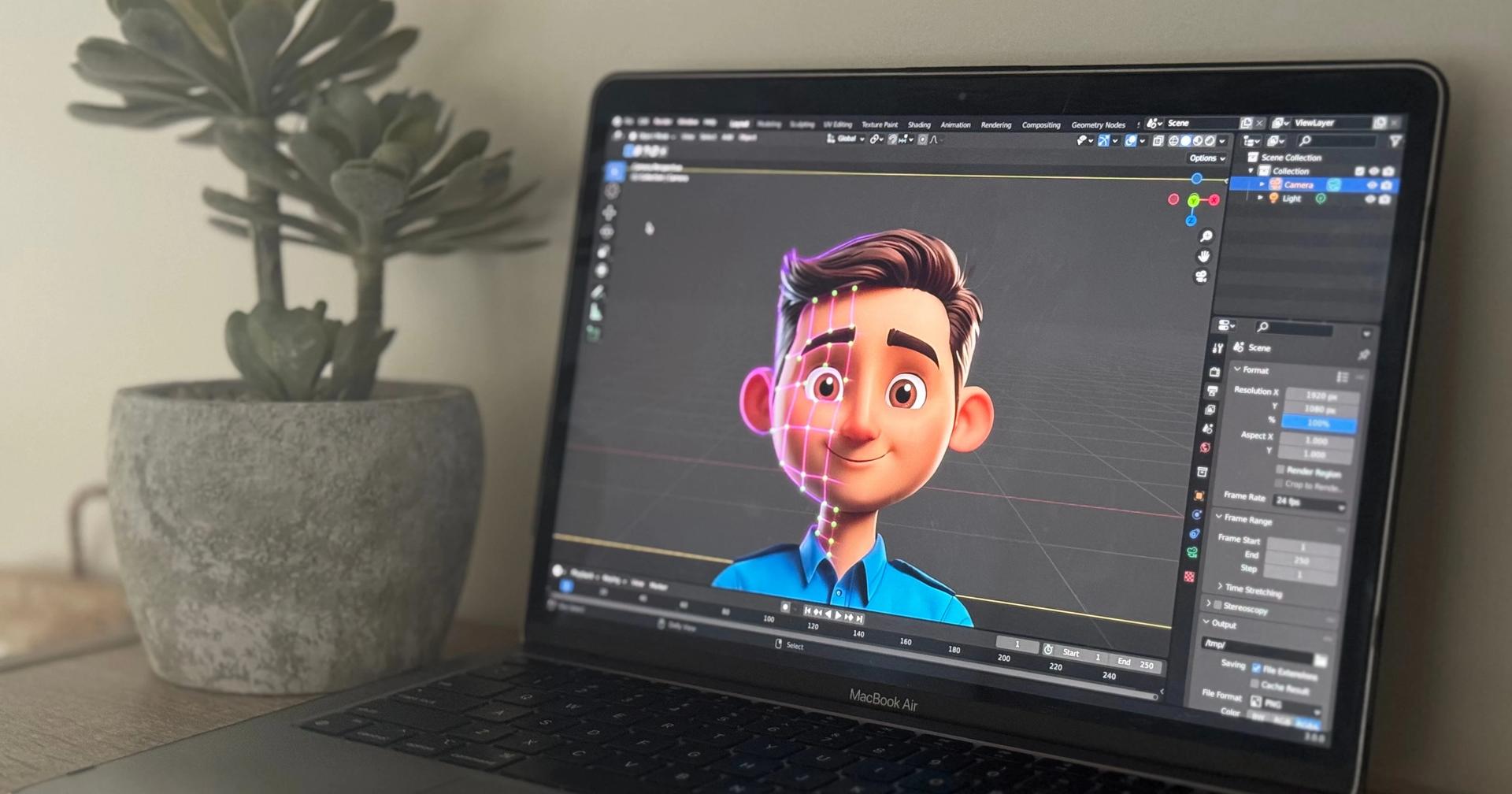
Animation has never been this accessible. In 2026, you can download genuinely powerful free 2D animation software, make a full animated short, and publish it online without spending a dollar. Just starting out with your first frame-by-frame animation? Already a digital artist looking to bring illustrations to life? Need animated content fast for a business? There's a free tool built for exactly where you're standing right now.
This guide covers the best software for 2D animation free in 2026, with verified features and honest recommendations pitched at every skill level. There's also a dedicated section on the best applications for 3D animation tucked in at the end — everything from the free powerhouse Blender to the industry-standard Autodesk Maya.
What Is 2D Animation Software?
2D animation software covers any tool that lets you create moving images in two dimensions, which in practice breaks down into a few distinct approaches:
- Frame-by-frame animation — drawing every frame individually (the classic hand-drawn approach)
- Tweening/vector animation — the software calculates frames between your keyframes automatically
- Rigging/bone-based animation — animate by moving a character skeleton, not by redrawing every frame
- Template-based animation — assemble pre-built characters and scenes into video quickly
By 2026, free 2D animation software covers every one of these styles, and the professional-grade tools available at zero cost are genuinely surprising.
Best Free 2D Animation Software in 2026
1. OpenToonz — Best Free 2D Animation Software Overall
OpenToonz grew out of Toonz — the same professional software Studio Ghibli once used to make legendary films like Spirited Away and Princess Mononoke. Dwango released it as open source back in 2016, and it remains arguably the most capable free 2D animation software you can get in 2026, built for serious animators who want professional-grade tools without spending anything.
Frame-by-frame animation, traditional paper scanning through its GTS tool, a node-based effects compositor that holds its own against commercial software — OpenToonz supports all of it. No watermarks. No feature limitations. No trial period. Just the full professional tool, free.
Pricing: Free and open source (BSD license)
Platforms: Windows, macOS, Linux
Key features:
- Professional pedigree from Studio Ghibli's legendary productions
- GTS scanning tool to digitize hand-drawn paper animation
- Node-based compositor for effects and post-processing
- Traditional animation timeline with onion skinning and x-sheet
- Plugin architecture for community-built extensions
- No watermarks, no restrictions, no subscription
Best for: Committed animation students and self-taught animators who want professional-grade free tools and can invest time mastering a complex interface.
2. Krita — Best Free 2D Animation Software for Digital Artists
Krita started as a free, open-source painting app, but it quietly built in a genuinely capable frame-by-frame animation system too. Already draw or paint digitally? Krita is probably the most natural free path into animation — you're animating with the same brush engine you already know, plus onion skinning, a timeline panel, and audio import.
No free tool beats Krita's brush engine — pressure sensitivity, blending modes, and custom brush support that go toe-to-toe with Adobe Photoshop. The animation features grow naturally out of that painting toolkit, which is exactly what makes Krita the free 2D animation software for PC artists wanting to animate their illustrations without ever switching applications.
Pricing: Free and open source. Also on Steam for ~$15 (optional, same software)
Platforms: Windows, macOS, Linux, Android (beta)
Key features:
- Best brush engine of any free animation or drawing tool
- Frame-by-frame animation with onion skinning and audio import
- Bitmap and vector layer support
- Tablet and stylus support with pressure sensitivity
- Active community with thousands of free tutorials
- No subscription, no watermarks, no feature limits
Best for: Digital artists, illustrators, and concept artists who want to add animation to their existing drawing workflow.
3. Pencil2D — Best Free 2D Animation Software for Absolute Beginners
Pencil2D boils 2D animation down to its purest form. Draw on a timeline. Flip through frames. Watch your character move. There's no rig, no tweening system, no effects compositor to learn first — just the fundamental tools for understanding how animation actually works. That bare-bones simplicity is the whole point.
Five minutes after downloading it, you're already animating — which is why Pencil2D is the best free 2D animation app for beginners out there. Build a bouncing ball. Try a walk cycle. Learn timing and spacing. Once those principles click in Pencil2D, they transfer straight into every professional tool you'll ever touch.
Pricing: Free and open source (GPL v2)
Platforms: Windows, macOS, Linux
Key features:
- Bitmap and vector drawing on separate layers
- Onion skinning to see previous and next frames while drawing
- Minimal interface with zero feature clutter
- Tiny download, runs on virtually any hardware
- Basic camera, sound, and export tools included
Best for: Complete beginners learning the principles of 2D animation before moving to more advanced tools.
4. Synfig Studio — Best Free 2D Animation Software for Vector & Tween Animation
Synfig Studio is a free, open-source 2D animation tool built around vector graphics and automatic tweening. Instead of drawing every frame by hand, Synfig calculates the frames between your keyframes automatically — smooth motion without the frame-by-frame labor. That alone makes it a much easier on-ramp for beginners chasing clean, scalable animation.
A basic bone system handles character rigging, the vector artwork scales to any resolution without pixelating, and layer blending goes deeper than you'd expect from a free tool. For motion-graphics-style 2D cartoon animation software work, Synfig quietly delivers professional output for nothing.
Pricing: Free and open source (GPL v2)
Platforms: Windows, macOS, Linux
Key features:
- Automated tweening engine for smooth motion between keyframes
- Vector-based artwork that scales cleanly to any resolution
- Basic bone and rig system for character animation
- Advanced layer blending and transformation controls
- Cross-platform with ongoing community development
Best for: Beginners and intermediate animators who prefer motion graphics-style vector animation over traditional frame-by-frame drawing.
5. Blender (Grease Pencil) — Best Free 2D/3D Hybrid Animation Software
Blender is best known as the world's top free 3D software, but its Grease Pencil system quietly makes it one of the most powerful free 2D animation applications too. Draw directly in 3D space, mix 2D hand-drawn animation with full 3D environments, then run it all through Blender's own rendering and compositing pipeline.
Consider the evidence: Flow won the Academy Award for Best Animated Feature in 2025, and it was made primarily in Blender. A free tool, delivering an Oscar. For anyone who eventually wants to work across both 2D and 3D, Blender still offers the widest creative foundation of any free option out there.
Pricing: Free and open source (GPL license) | Current stable: version 5.1 (March 2026)
Platforms: Windows, macOS, Linux
Key features:
- Grease Pencil: draw 2D animation directly in a 3D environment
- Combine 2D hand-drawn elements with full 3D models and environments
- Full rendering, compositing, and VFX pipeline in one application
- Thousands of free tutorials and community add-ons
- Used in Oscar-winning productions (Flow, Best Animated Feature 2025)
Best for: Animators who want to combine 2D and 3D, and anyone planning to eventually work across both animation dimensions in one free application.
6. Rive — Best Free Interactive 2D Animation Software
Rive plays a genuinely different game. Instead of a video file, it produces interactive, real-time animations for websites, mobile apps, and games. Animated icons, loading states, interactive UI elements, game assets that actually respond to user input — that's Rive's territory. The output isn't a video at all; it's a lightweight file that drops straight into a digital product through an SDK.
Unlimited files on the free plan, plus a state machine system that handles complex interactive behavior without a line of code. The clean, modern interface is what makes Rive one of the more intuitive online 2D animation software free picks for designers and developers in 2026.
Pricing: Free plan (unlimited files) | Team plan $21/user/month
Platforms: Browser-based (Windows, macOS, Linux)
Key features:
- Real-time interactive animations responding to user input
- State machine system for complex behavior without code
- Tiny file sizes compared to video or GIF alternatives
- Direct SDK integration into web, iOS, Android, Flutter, and game engines
- Modern, intuitive interface with smooth animation workflow
Best for: Web designers, app developers, and game creators who need interactive UI animations rather than traditional video output.
7. Animaker — Best Free Template-Based 2D Animation App
Animaker is built for people who will never call themselves animators. It's the easiest free 2D animation app around for marketers, educators, business creators, and social media managers who need animated content without learning animation principles first. Drag-and-drop interface, pre-built character library, ready-made templates — you can produce a basic animated video in under an hour.
The free plan covers the core features, though videos carry a watermark and exports stay limited (paid plans start from $12/month). For quick social clips and low-stakes content, though, the free tier is honestly enough.
Pricing: Free plan (limited, watermark) | Basic $12/month | Starter $19/month | Pro $39/month
Platforms: Browser-based (any OS)
Key features:
- Drag-and-drop template animation — no drawing skills required
- Pre-built character library with customizable actions and expressions
- Built-in stock music, sound effects, and image assets
- Multiple export formats including GIF and social media dimensions
- Text-to-speech voiceover tool included
Best for: Beginners, marketers, and educators who need quick animated content from templates without learning traditional animation.
Quick Comparison: Best Free 2D Animation Software in 2026
| Software | Animation Style | Skill Level | Platform | Free? |
|---|---|---|---|---|
| OpenToonz | Frame-by-frame | Advanced | Win/Mac/Linux | Fully free |
| Krita | Frame-by-frame (art) | Beginner–Intermediate | Win/Mac/Linux | Fully free |
| Pencil2D | Frame-by-frame | Beginner | Win/Mac/Linux | Fully free |
| Synfig Studio | Vector/tween | Beginner–Intermediate | Win/Mac/Linux | Fully free |
| Blender (Grease Pencil) | 2D/3D hybrid | Intermediate | Win/Mac/Linux | Fully free |
| Rive | Interactive/real-time | Intermediate | Browser | Free plan |
| Animaker | Template-based | Beginner | Browser | Free plan (watermark) |
Best Applications for 3D Animation in 2026
1. Blender — Best Free 3D Animation Application
Blender isn't just good for a free tool — it's arguably the best free 3D animation software around, period. Completely free and open source, it covers the entire 3D pipeline: modeling, rigging, animation, rendering (Cycles and EEVEE), compositing, VFX, motion tracking, all of it. The Oscar-winning Flow (2025) was made primarily in Blender — proof that free tools can now go toe-to-toe with the biggest productions on the planet.
Pricing: Free | Best for: Beginners, freelancers, indie studios, hobbyists
2. Autodesk Maya — Best Professional 3D Animation Application
Autodesk Maya is still the industry standard for character animation, rigging, and VFX across film, TV, and AAA games. A deep toolset, the integrated Arnold renderer, and solid custom pipeline support keep it the default choice in major studios worldwide. Want a career in professional film or large-scale production? Fluency in Maya isn't optional.
Pricing: Maya Indie $330/year (income under $100,000/year) | Professional $1,875/year | Free for students
Best for: Professional animators targeting film, TV, and large-scale productions
3. Cinema 4D — Best 3D Application for Motion Graphics
Cinema 4D by Maxon owns motion graphics and commercial animation. Nothing else touches its MoGraph toolset — procedural cloning, effectors, dynamics — for broadcast design, advertising, and branded content. It also integrates deeply with Adobe After Effects, which makes it the obvious pick for motion designers already living in the Adobe ecosystem.
Pricing: From $93/month | Annual plan $1,119/year | Best for: Motion graphics artists, commercial animators, experienced freelancers
4. Unreal Engine 5 — Best Free Real-Time 3D Animation App
Unreal Engine 5 is genuinely reshaping real-time 3D animation right now. Nanite geometry, Lumen global illumination, MetaHuman digital human tools — results that used to demand hours of offline rendering now happen live. It's free to use, with a 5% royalty kicking in only once a game earns over $1 million USD.
Pricing: Free (5% royalty above $1M USD game revenue) | Best for: Game developers, real-time cinematic animation
5. Cascadeur — Best AI-Powered 3D Animation App
Cascadeur leans on physics simulation and AI to get animators to physically believable motion faster than traditional keyframing ever could. Animate the character here, export via FBX into Blender, Maya, Unreal, or Unity for final rendering. Free for education and non-commercial use.
Pricing: Free (education/non-commercial) | Indie $96/year | Professional $276/year
Best for: Character animators, game developers, and action sequence production
How to Choose: 2D vs. 3D Animation
| Your Goal | Best Tool |
|---|---|
| Learn animation basics for free | Pencil2D or Krita |
| Professional 2D animation | OpenToonz (free) |
| Interactive web/app animation | Rive (free plan) |
| Quick template-based videos | Animaker (free plan) |
| Free 3D animation (all levels) | Blender |
| Professional film/TV 3D | Autodesk Maya |
| Motion graphics and commercials | Cinema 4D |
| Real-time 3D (games/cinema) | Unreal Engine 5 (free) |
| AI-assisted character animation | Cascadeur (free non-commercial) |
Final Thoughts
Here's the honest verdict: the best free 2D animation software on this list genuinely rivals what you'd have paid for five years ago. OpenToonz and Krita are studio-quality, full stop, at zero cost. Pencil2D is still the best place to actually learn the craft. Synfig and Rive each serve a specialized need — vector tweening on one side, interactive web animation on the other. And Blender bridges 2D and 3D in a single free application, with an Oscar to back it up.
On the 3D animation side, Blender is still the free choice to beat at any skill level. Autodesk Maya and Cinema 4D lead the professional and commercial production world respectively. And Unreal Engine 5 is quietly rewriting the rules of real-time 3D, starting at a price of free.
Pick one tool. Give it three months, minimum. Focus on finishing projects, not chasing the next tutorial. The learning happens in the doing, not in the deciding.