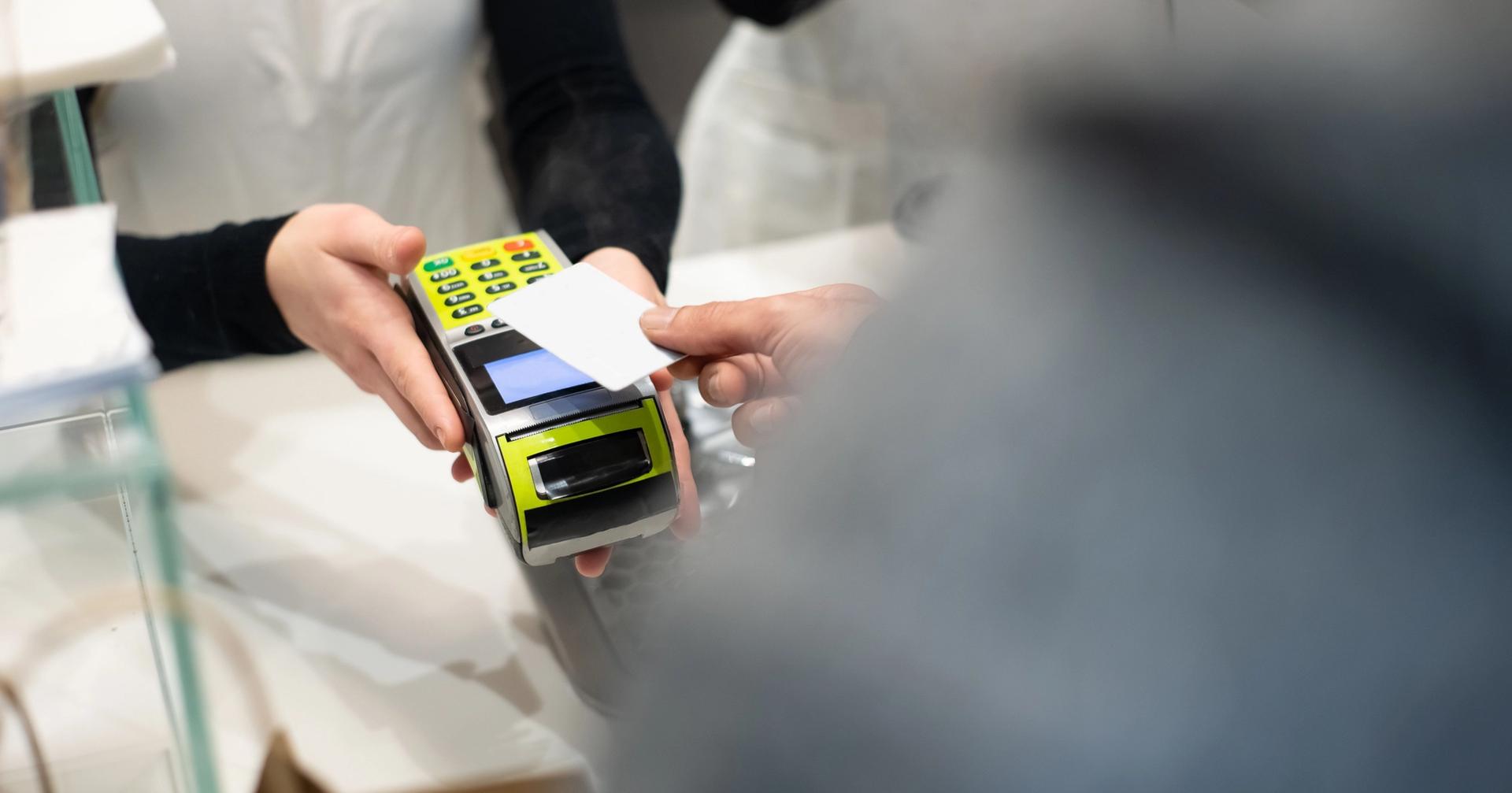
Run a small grocery store, a boutique retail shop, or a busy service outlet, and the right billing software for shop operations can save you hours every week. Manual billing means errors, lost revenue, and frustrated customers - and the best shop billing software in 2026 automates invoicing, tracks inventory in real time, handles taxes, and sends payment reminders, all from one dashboard.
This guide walks through the best 7 billing software for shops in 2026 - pricing, features, free plans, and who each tool actually fits best. We also cover how to build your own billing software, how to use one day-to-day, and which three free tools work best for grocery stores.
Why Every Shop Needs Billing Software in 2026
Handwritten receipts and spreadsheet invoices don't cut it anymore. Modern billing software for retail shops gets you:
- Faster checkout: Barcode scanning and POS integration cut checkout time dramatically
- Automatic tax calculation: GST, VAT, and local taxes get calculated accurately on every single bill, automatically
- Inventory sync: Stock levels update the moment a sale happens, so you're not caught off guard by an out-of-stock item
- Professional invoices: Branded, digital invoices go out by email or print instantly, right at the point of sale
- Payment tracking: You always know who's paid and who hasn't, and reminders go out automatically
- Business reports: Daily sales summaries, profit/loss statements, and top-selling product reports, all visible at a glance
Best 7 Billing Software for Shops in 2026
1. Zoho Invoice — Best Free Billing Software for Shops
Zoho Invoice costs nothing for small businesses and consistently ranks among the best free billing software for shops out there. Create professional invoices, track expenses, send payment reminders, accept online payments - all free. And when the business grows, it connects directly with Zoho Books, Zoho Inventory, and Zoho CRM for a fuller business management setup.
Pricing: Free forever (no credit card required)
Key features:
- Unlimited invoices and customers on the free plan
- Customizable invoice templates with your logo and brand colors
- Automated payment reminders via email and SMS
- Multi-currency support for international billing
- Mobile app for billing on the go (iOS and Android)
- Integration with Stripe, PayPal, Razorpay, and more
Best for: Small shop owners, freelancers, and retailers who need professional free billing software without monthly subscription costs.
2. FreshBooks — Best Billing Software for Small Retail Businesses
FreshBooks is one of the best-known billing software for small businesses worldwide, rated 4.5/5 on both G2 and Capterra. It started out built for service businesses and has since grown into a full invoicing and billing platform - time tracking, expense management, project billing, automated accounting reports, all in one place. The interface is clean enough that it's one of the easiest shop billing software options to pick up and start using on day one.
Pricing: Lite $23/month | Plus $39/month | Premium $69/month | 30-day free trial available
Key features:
- Professional invoice creation in under 60 seconds
- Automatic payment reminders and late fee charging
- Expense tracking with receipt scanning via mobile app
- AI chatbot for purchase orders, invoice management, and contacts
- Accept credit and debit cards online via Stripe integration
- Financial reports: profit/loss, tax summaries, expense breakdowns
Best for: Retail shop owners, freelancers, and service businesses wanting an all-in-one billing and invoicing software with strong accounting features.
3. Square Invoices — Best POS Billing Software for Retail Shops
Square Invoices leads the pack in POS billing software for retail shops, pulling point-of-sale hardware, digital invoicing, and inventory management into one ecosystem. The free plan covers unlimited invoices with real-time payment tracking, automated reminders, and a click-to-pay button on every invoice. It connects directly with the Square POS system, which makes it a natural fit for shops running both in-store and online sales.
Pricing: Free (2.9% + 30¢ per transaction) | Plus $20/month
Key features:
- Send invoices via email, SMS, or shareable link
- Real-time invoice tracking and automatic payment reminders
- "Write with AI" for personalized invoice messages
- Inventory management auto-updates with every sale (via Square Dashboard)
- Accept credit cards, digital wallets, bank transfers, and gift cards
- Recurring and milestone-based invoices (Plus plan)
- Batch invoicing for multiple customers simultaneously
Best for: Retail shops, boutiques, and pop-up stores that need a combined billing software and POS system with a strong free plan.
4. Wave — Best Free Accounting and Billing Software
Wave is a free accounting platform owned by H&R Block, and it packs in unlimited invoicing, billing, and receipt scanning at no monthly cost. It's a particularly good fit for small shops that want clean, professional invoices without paying for software they'll barely touch. The billing tools cover recurring invoices, automated payment reminders, and a pay-now button on every invoice so customers can settle up instantly.
Pricing: Free | Wave Pro $16/month (for automated bank imports and unlimited receipt scanning)
Key features:
- Unlimited invoices and billing with no monthly fees
- Recurring billing setup for subscription or regular customers
- "Pay Now" button on every invoice for instant online payment
- Accept credit cards, bank payments, and select digital wallets
- Mobile receipt scanning for expense tracking
- Double-entry accounting with automatic bank reconciliation (Pro plan)
- Real-time dashboard of income, expenses, and outstanding invoices
Best for: Small shop owners and sole traders who want the best free billing software with accounting built in, and no hidden fees.
5. QuickBooks — Best Billing Software for Growing Shops
QuickBooks Online is, by a wide margin, the most widely used small business billing software, running behind over 8 million businesses worldwide. For shop owners who need more than invoicing - full accounting, payroll, inventory tracking, tax filing - QuickBooks is still the default choice. Its 2026 AI tools handle automated expense categorization, smart invoice matching, and cash flow forecasting, watching your shop's finances around the clock.
Pricing: Simple Start $38/month | Essentials $65/month | Plus $99/month | Advanced $235/month
Key features:
- Full double-entry accounting with profit/loss and balance sheet reports
- Automated invoice creation, scheduling, and payment reminders
- Inventory management with real-time stock level tracking
- 800+ app integrations including Shopify, PayPal, and Square
- AI-powered expense categorization and cash flow forecasting
- GST, VAT, and multi-tax compliance across all regions
- Payroll add-on for managing staff salaries and compliance
Best for: Growing retail shops and multi-location stores that need a complete billing and accounting software solution that scales with the business.
6. Vyapar — Best Billing Software for Small Shops in India
Vyapar is far and away the most popular billing software for shops in India, built specifically for Indian retailers, wholesalers, and grocery stores. It's free on Android and covers GST-compliant invoicing, barcode scanning, thermal printer support, and offline billing, so it keeps working even without an internet connection. Over 1 crore businesses already trust it, and it's become the default GST billing software for shops across the country.
Pricing: Free (Android) | Desktop plans from ₹3,399/year | 15-day free trial on desktop
Key features:
- GST-compliant billing with automatic GSTIN validation and e-invoice generation
- Barcode scanning for fast product billing at the counter
- Thermal printer and Bluetooth printer support for instant receipt printing
- Offline billing mode — works without internet connectivity
- Inventory management with low-stock alerts and purchase orders
- UPI, cash, and bank payment tracking
- Detailed business reports: daily sales, party-wise accounts, stock summary
Best for: Indian shop owners, kirana stores, grocery retailers, and wholesalers who need GST billing software that works offline and on Android mobile.
7. Xero — Best Cloud-Based Billing Software for Shops
Xero is a cloud-based billing and accounting software trusted by over 4 million businesses worldwide. The interface stays clean, every plan includes unlimited users, and it covers invoicing, inventory, payroll, project tracking, and multi-currency billing under one roof. Its 2026 AI tools bring smart data capture via Hubdoc, automated bank reconciliation, and cash flow forecasting that actually gets ahead of problems.
Pricing: Starter $25/month | Standard $40/month | Premium $54/month
Key features:
- Send unlimited branded invoices with "pay now" button for instant payment
- Inventory tracking with real-time stock monitoring
- Hubdoc: automatically capture data from bills, receipts, and bank statements
- Multi-currency billing in 160+ currencies for international transactions
- Unlimited users on all plans (unlike most competitors)
- Direct debit, Stripe, and PayPal payment integrations
- Automated bank reconciliation with smart transaction matching
Best for: Established shops, multi-outlet retailers, and businesses with teams who need cloud-based billing software accessible from anywhere, on any device.
3 Free Billing Software for Grocery Shops
Grocery stores need something different: high product volumes, constant stock changes, barcode scanning, fast checkout. Here are the three best free billing software for grocery shops in 2026:
- Zoho Invoice (Free) — zoho.com/invoice | Unlimited invoices, payment reminders, multi-currency support, and mobile billing at no cost. Ideal for small grocery shops starting out, with the ability to upgrade to Zoho Books or Zoho Inventory as the store grows.
- Wave (Free) — waveapps.com | Free unlimited billing with a "pay now" button and receipt scanning. Best for grocery shop owners who also want free accounting, bank reconciliation, and expense tracking built into their billing tool.
- Vyapar (Free on Android) — vyapar.in | The best free billing software for grocery shops in India. Barcode scanning for fast checkout, GST-compliant billing, offline mode for poor connectivity areas, and thermal printer support — all free on Android devices.
How to Make Billing Software for Your Shop
If a custom billing software for your shop is what you're after, here's a practical, step-by-step approach:
Step 1: Define your requirements
List every feature your shop needs: product catalog, barcode scanning, tax calculation, payment methods, inventory tracking, and receipt printing. The clearer your requirements, the simpler your development process.
Step 2: Choose your technology stack
For a desktop billing app, Python with Tkinter or Java Swing works well. For a web-based system, use React or Vue.js (front end) with Node.js or Django (back end) and MySQL or PostgreSQL as the database.
Step 3: Design the database
Create tables for: products (name, price, barcode, stock), customers, invoices, invoice line items, payments, and tax rates. A well-structured database makes the rest of development straightforward.
Step 4: Build the core billing module
The billing engine is the heart of your software. It should: add products by barcode or name search, calculate subtotals, apply discounts and taxes, generate a total amount, and print or save the bill as a PDF.
Step 5: Add inventory management
Connect every sale to your product database so stock levels update automatically. Add low-stock alerts and a purchase order module to reorder from suppliers.
Step 6: Add payment tracking and reporting
Support cash, card, and UPI payments. Build daily sales reports, product-wise revenue summaries, and monthly profit/loss statements for business review.
Step 7: Test, deploy, and train
Test your software with real billing scenarios including returns, discounts, partial payments, and multi-item orders. Deploy on a local server or cloud host, and train your counter staff before going live.
Tip
For most small shops, ready-made software like Zoho Invoice, Wave, or Vyapar gets you there far faster and cheaper than building from scratch. Custom development only really makes sense when your billing requirements are genuinely unusual.
How to Use Billing Software for Your Shop
Here's a practical walkthrough for getting started with any shop billing software:
Step 1: Set up your business profile
Enter your shop name, address, GSTIN (if applicable), logo, and bank details. This information appears on every invoice you generate and builds customer trust.
Step 2: Add your product catalog
Import your products with names, prices, tax rates, and barcodes. Most billing software lets you import a product list via Excel or CSV file for fast bulk setup.
Step 3: Create your customer database
Add repeat customers with their name, contact number, and billing address. This enables faster checkout and supports customer-specific pricing or discounts.
Step 4: Generate your first invoice
Select a customer, add products (by name, barcode scan, or search), apply any discounts, and click "Generate Invoice." The software calculates taxes and totals automatically.
Step 5: Accept payment and send receipt
Record the payment method (cash, card, UPI, or online). Email the invoice or print a thermal receipt for the customer immediately.
Step 6: Monitor your daily dashboard
Check your daily sales summary, outstanding invoices, low-stock alerts, and top-selling products from the billing software dashboard every morning.
Step 7: Run monthly reports
Generate profit/loss reports, tax summaries, and inventory reports at month-end to review your shop's financial performance and plan your next purchasing cycle.
Quick Comparison: Best Billing Software for Shops in 2026
| Software | Best For | Starting Price | Free Plan |
|---|---|---|---|
| Zoho Invoice | Free invoicing for all shops | Free | Yes |
| FreshBooks | Small retail + service billing | $23/month | No (30-day trial) |
| Square Invoices | POS + retail billing | Free | Yes |
| Wave | Free accounting + billing | Free | Yes |
| QuickBooks | Growing shops, full accounting | $38/month | No |
| Vyapar | Indian shops, GST billing | Free (Android) | Yes |
| Xero | Cloud billing, multiple users | $25/month | No |
Final Thoughts
The best billing software for shop for shop owners in 2026 doesn't need to cost anything to start. If you're just getting going, Zoho Invoice, Wave, and Vyapar all pack in free plans that cover what a small shop actually needs. Once the business grows past that, QuickBooks and Xero give you the full accounting depth for more complicated finances. Need retail POS integration? Square Invoices is the clear pick, while FreshBooks is the one that shines for service-based shops billing by project or by the hour.
Pick your shop billing software based on your actual transaction volume, budget, tax needs, and whether offline or cloud access matters more to you - get that right, and you'll save time, cut billing errors, and get paid faster starting day one.